



Transfer up to IDR5 billion
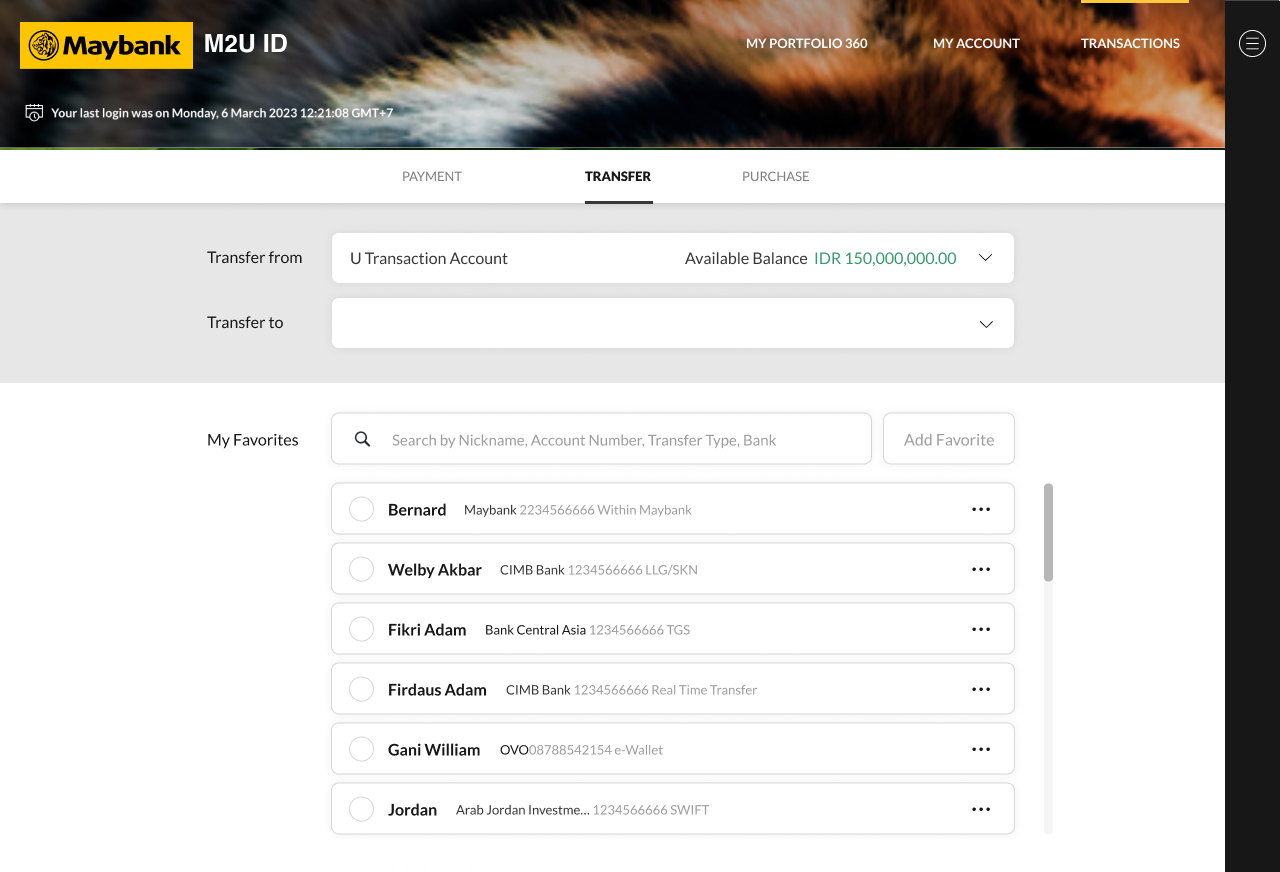
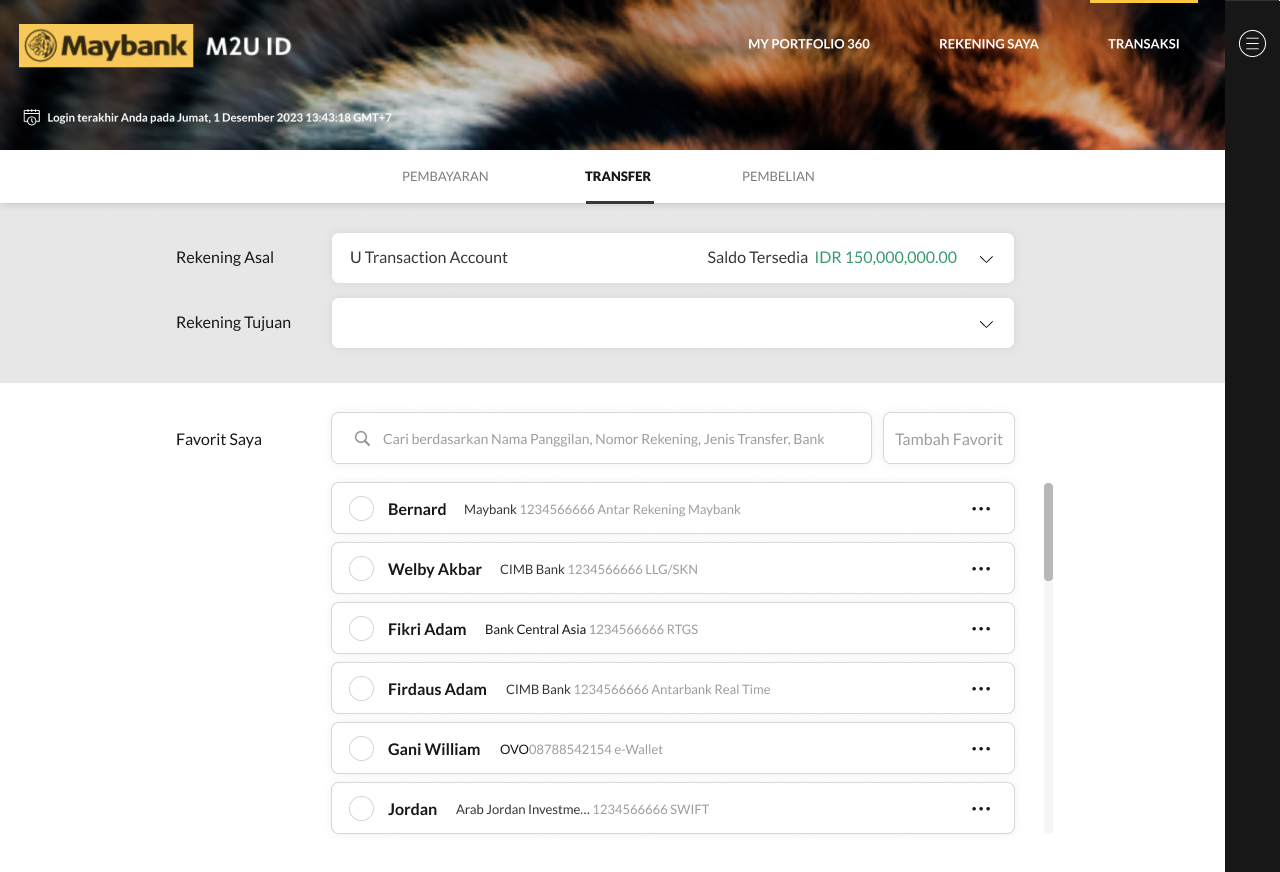
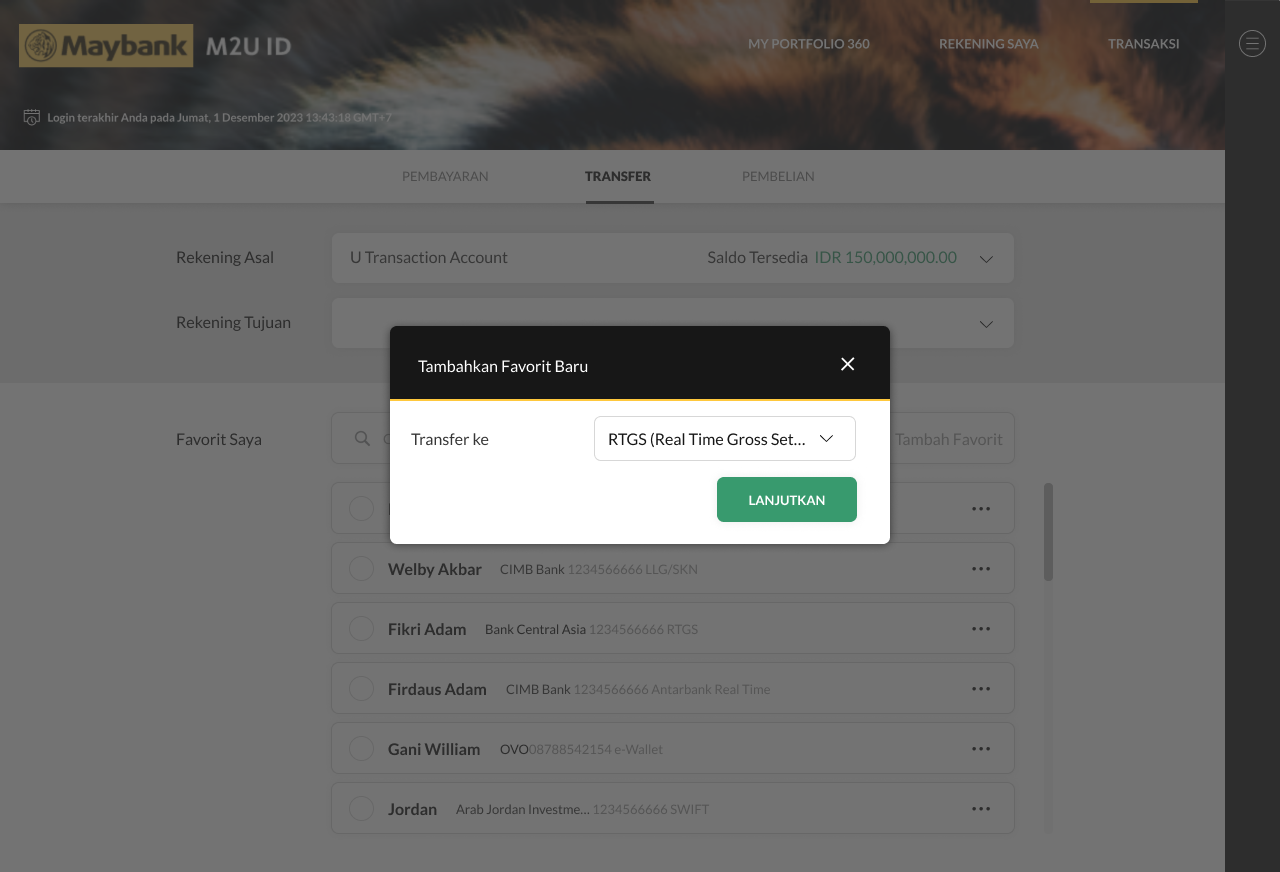
To transfer up to IDR5 billion, make sure to add your destination account as your favorite account.
Here’s how to add favorite:
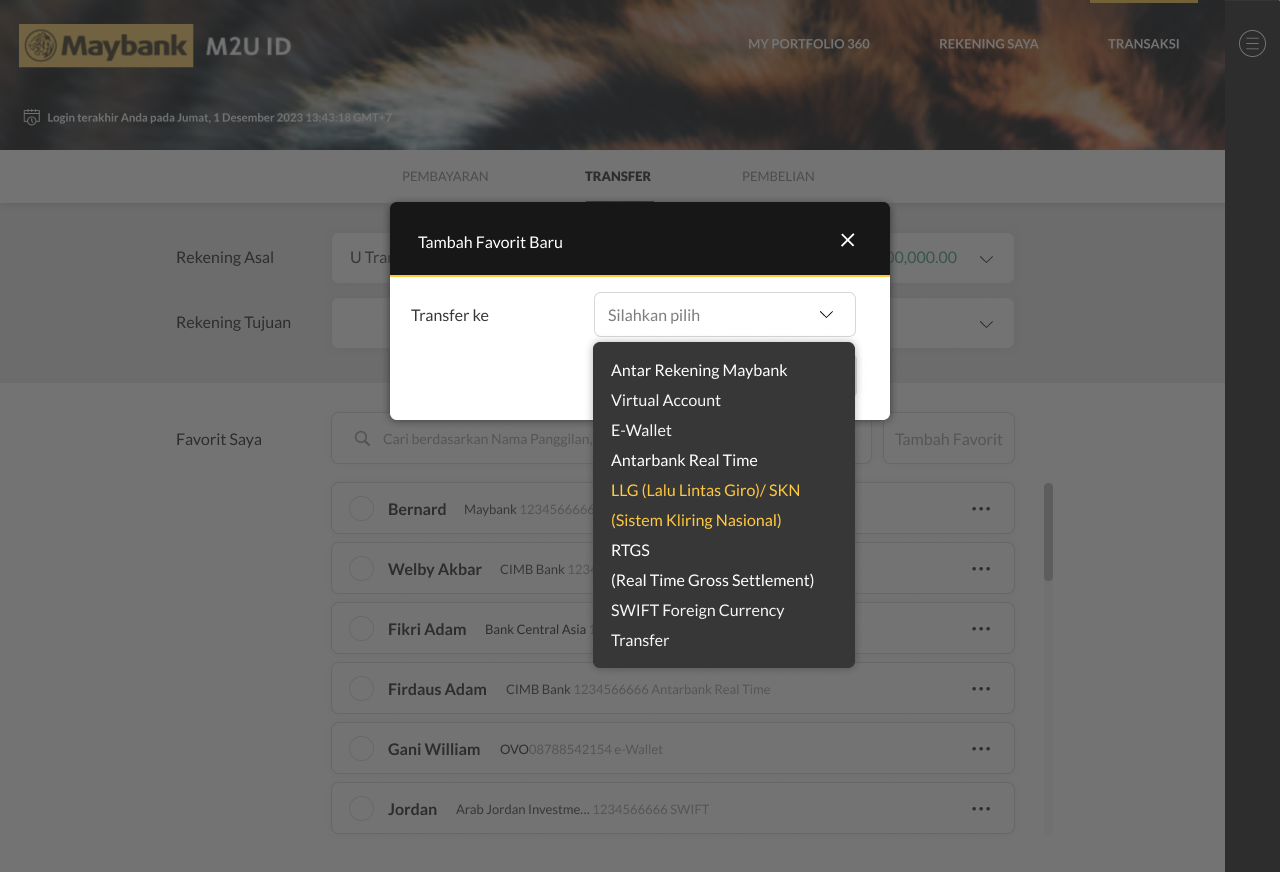
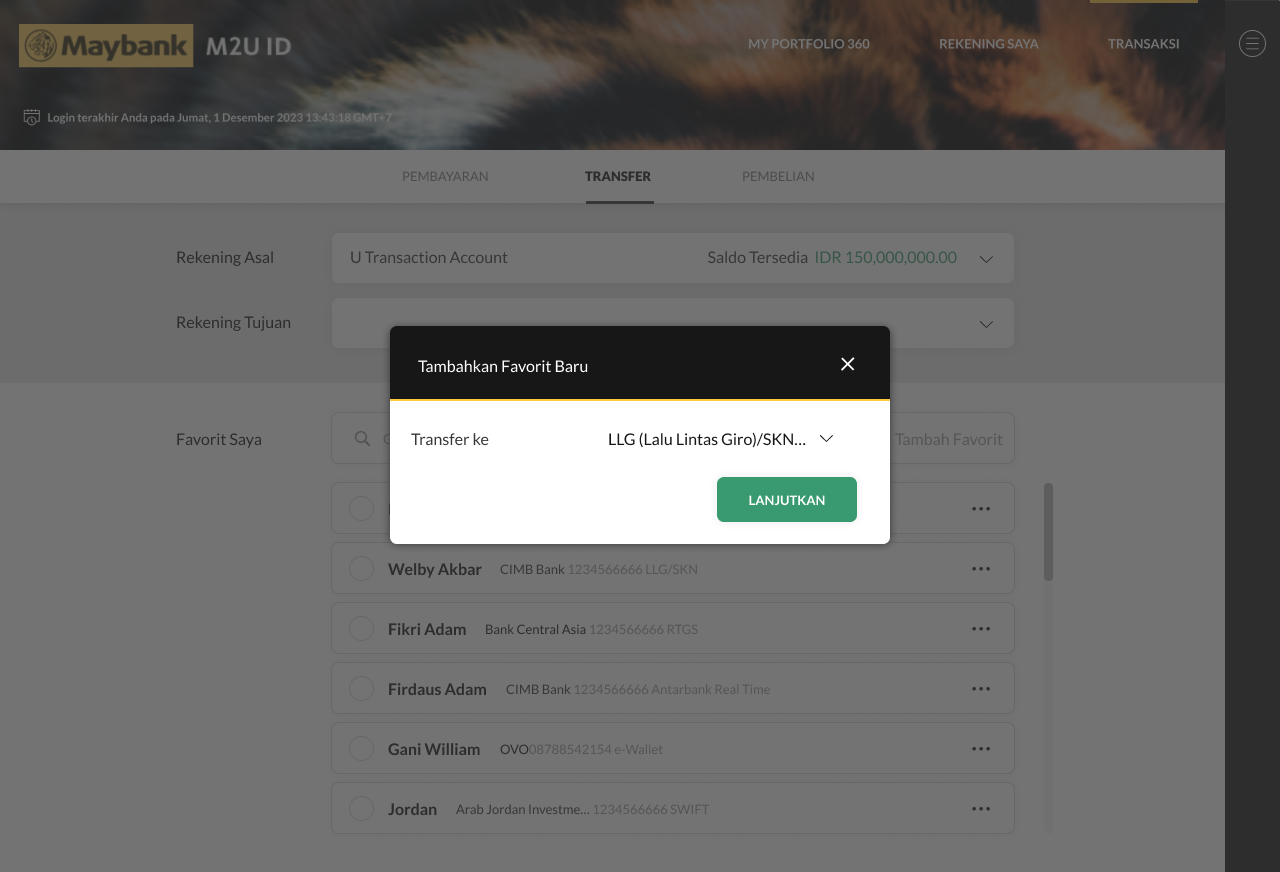
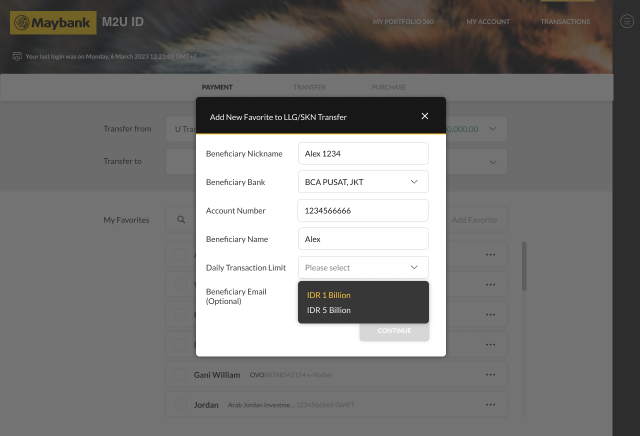
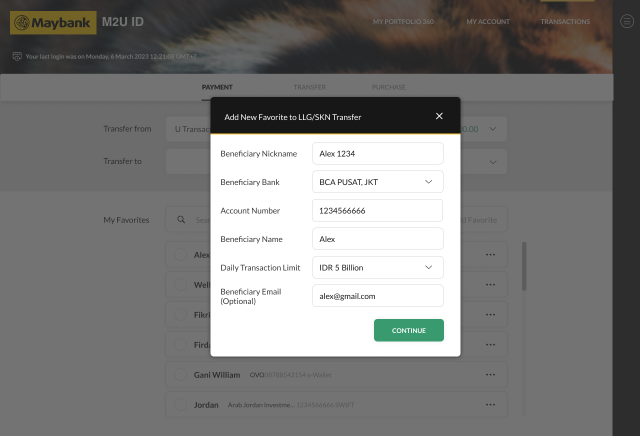
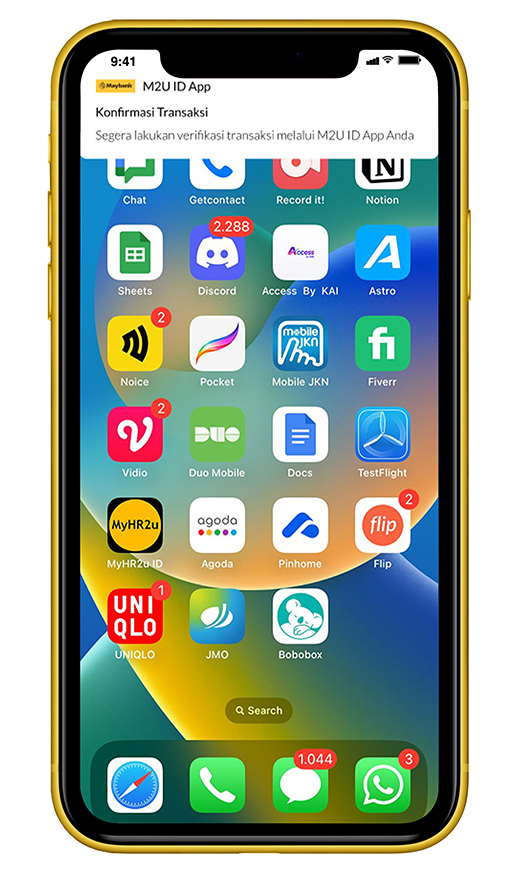
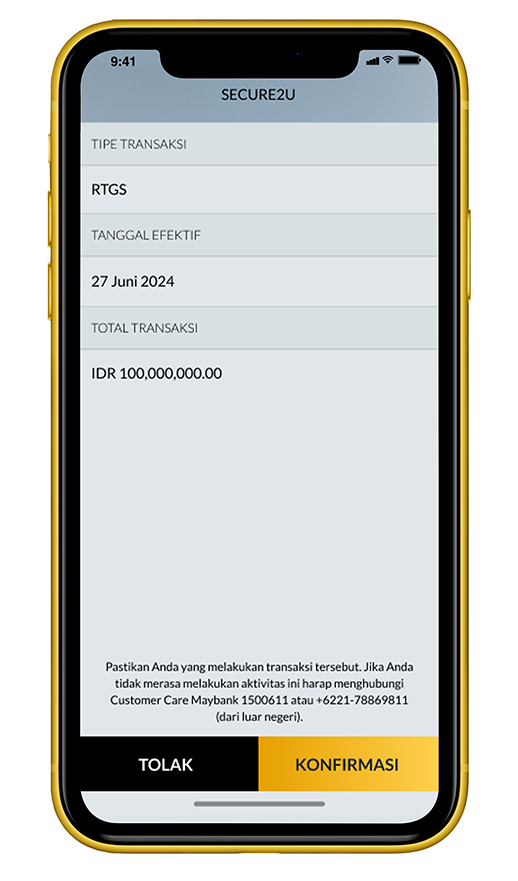
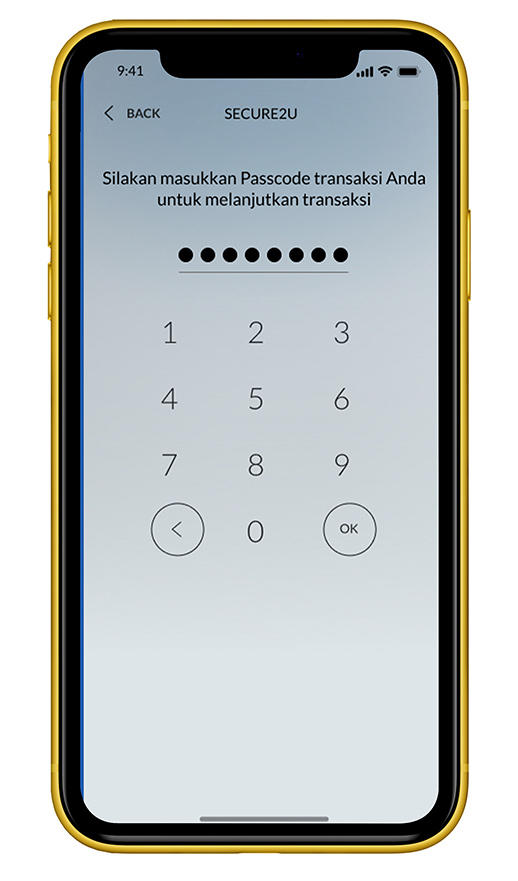
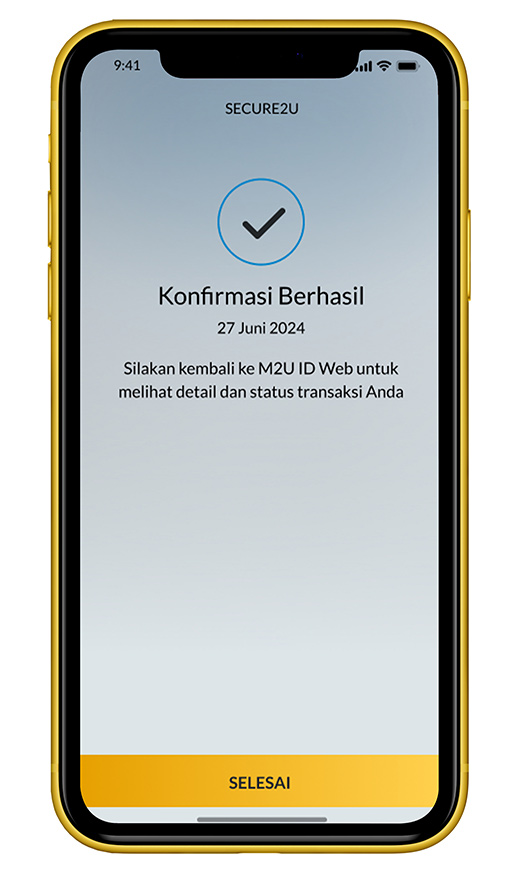
Other Bank (BI-FAST)
1
|
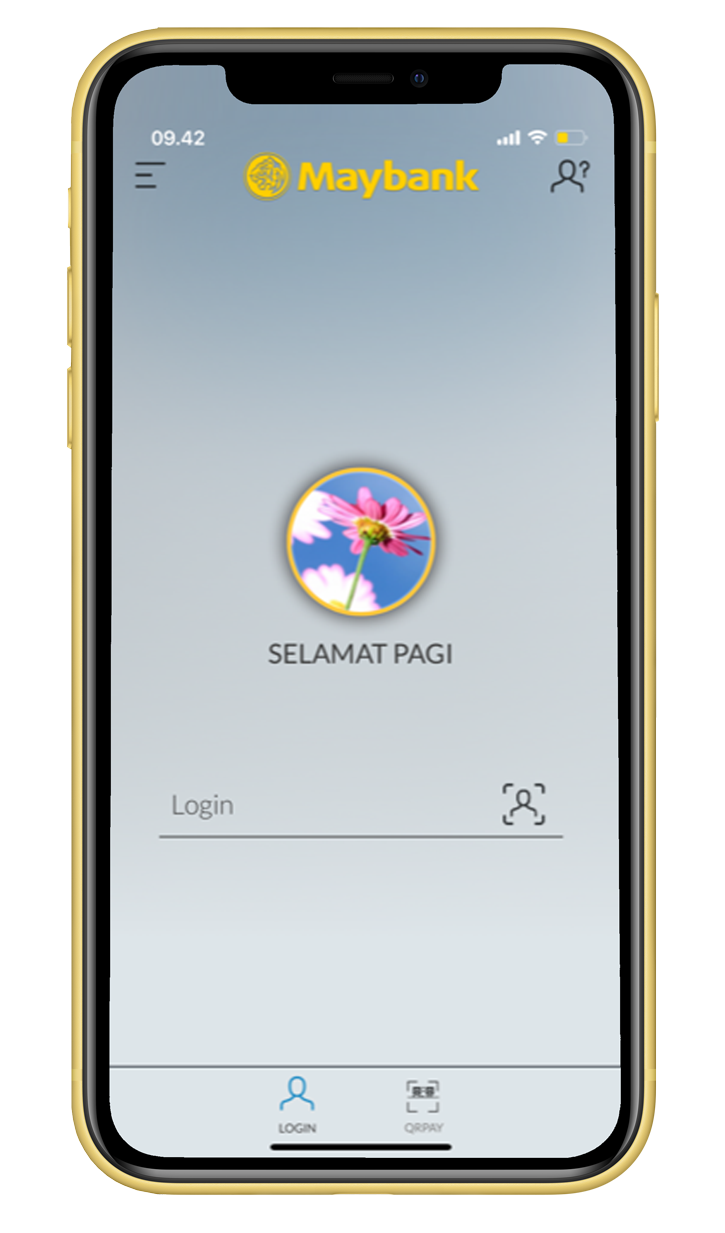
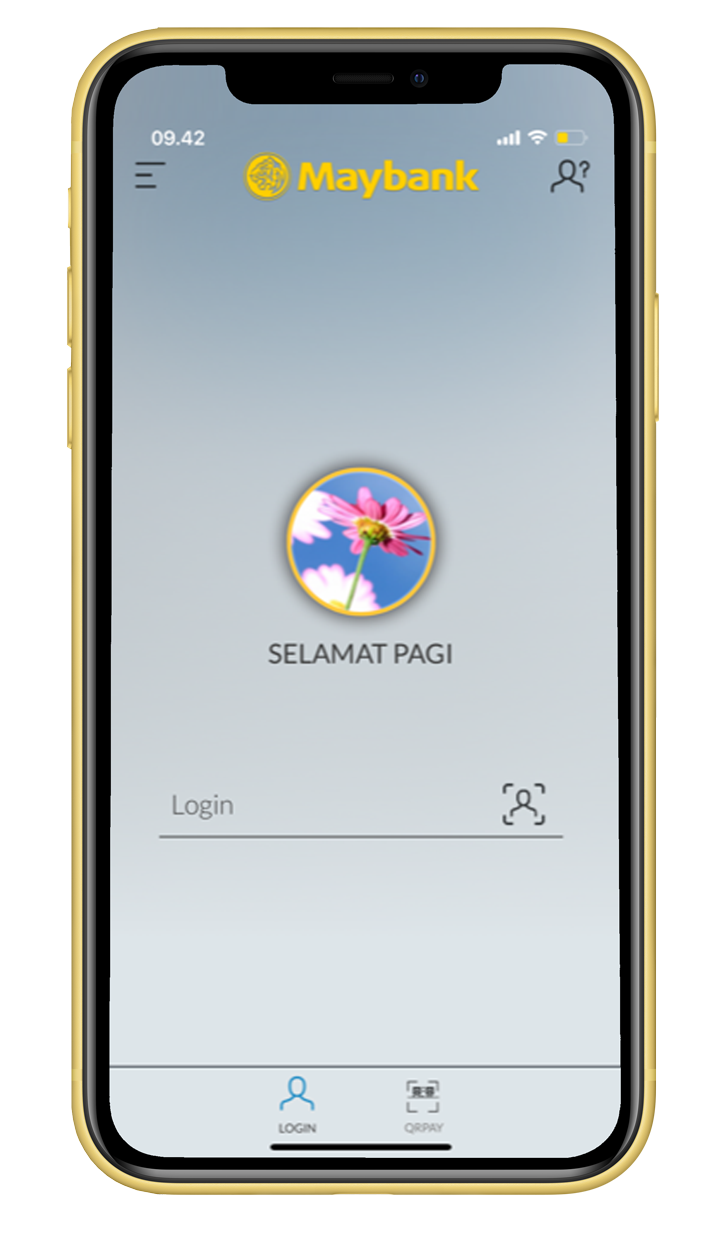
Login to M2U ID App
|
 |
2
|
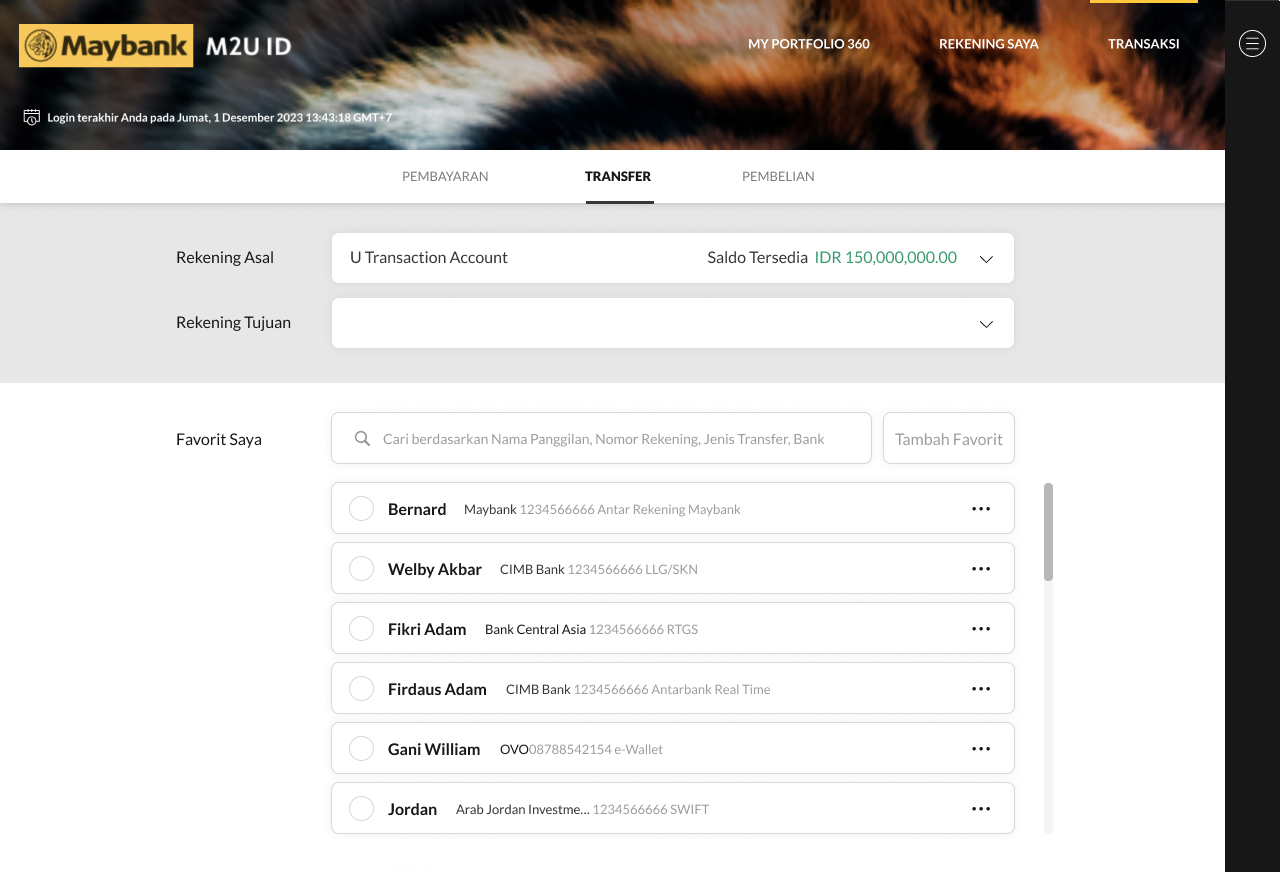
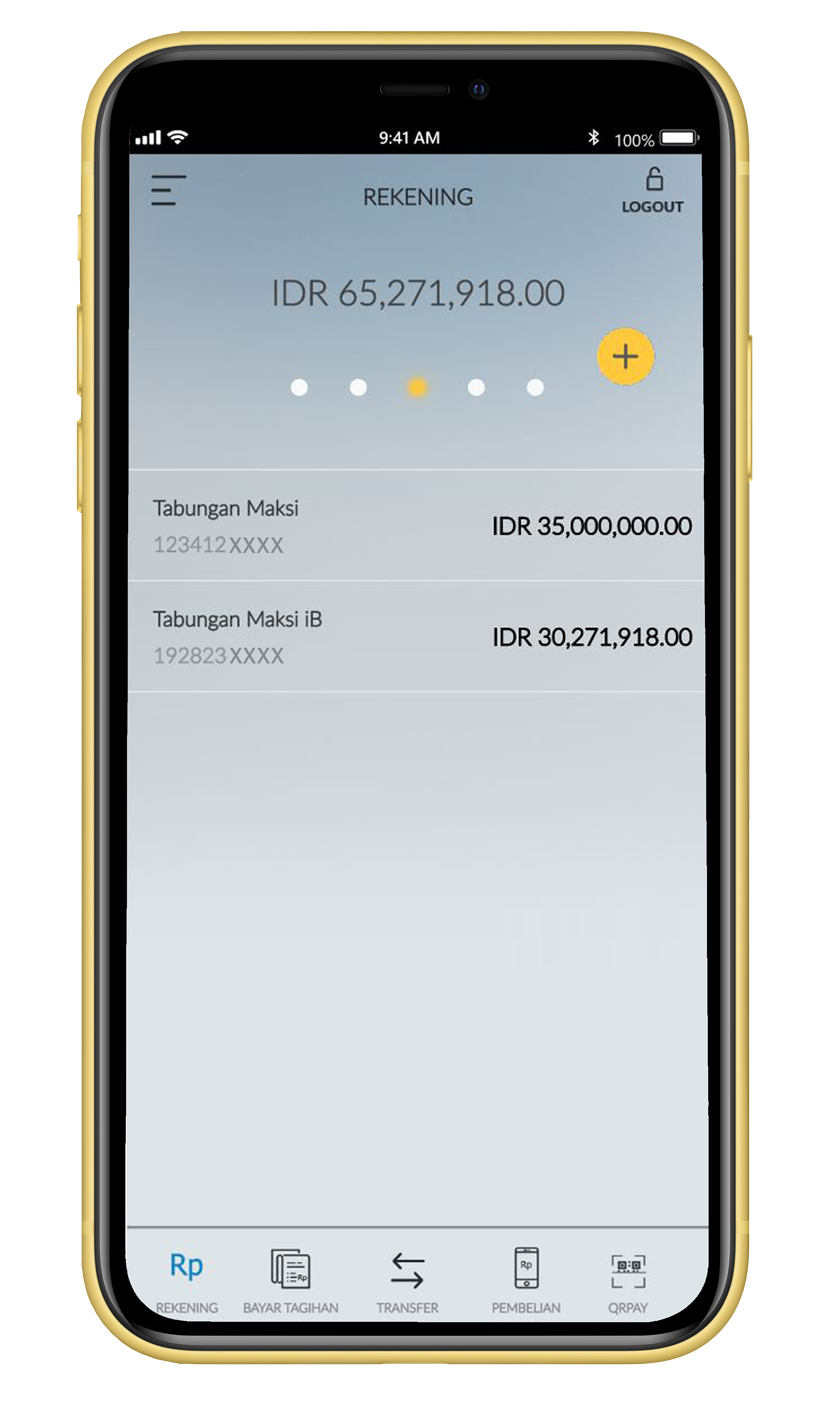
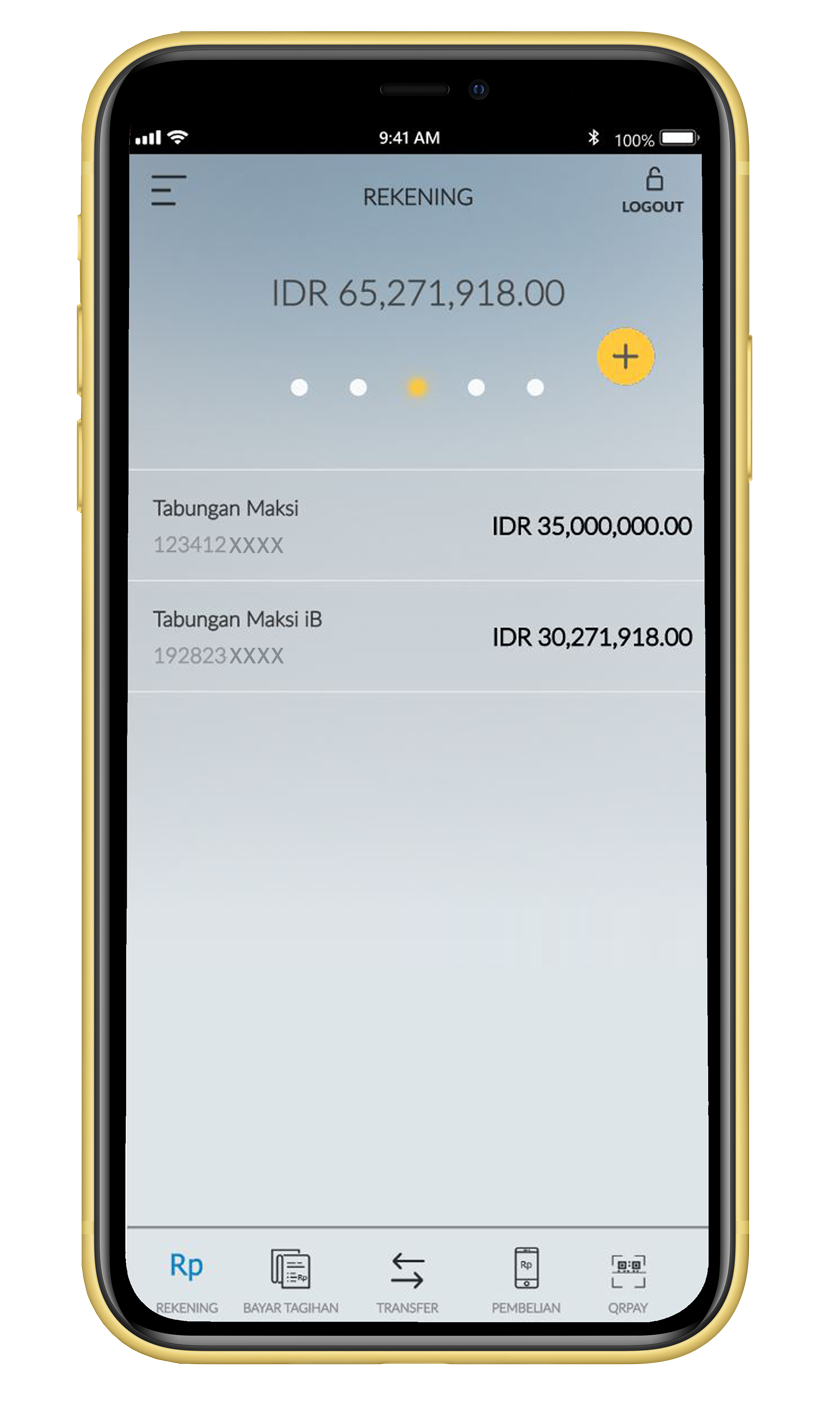
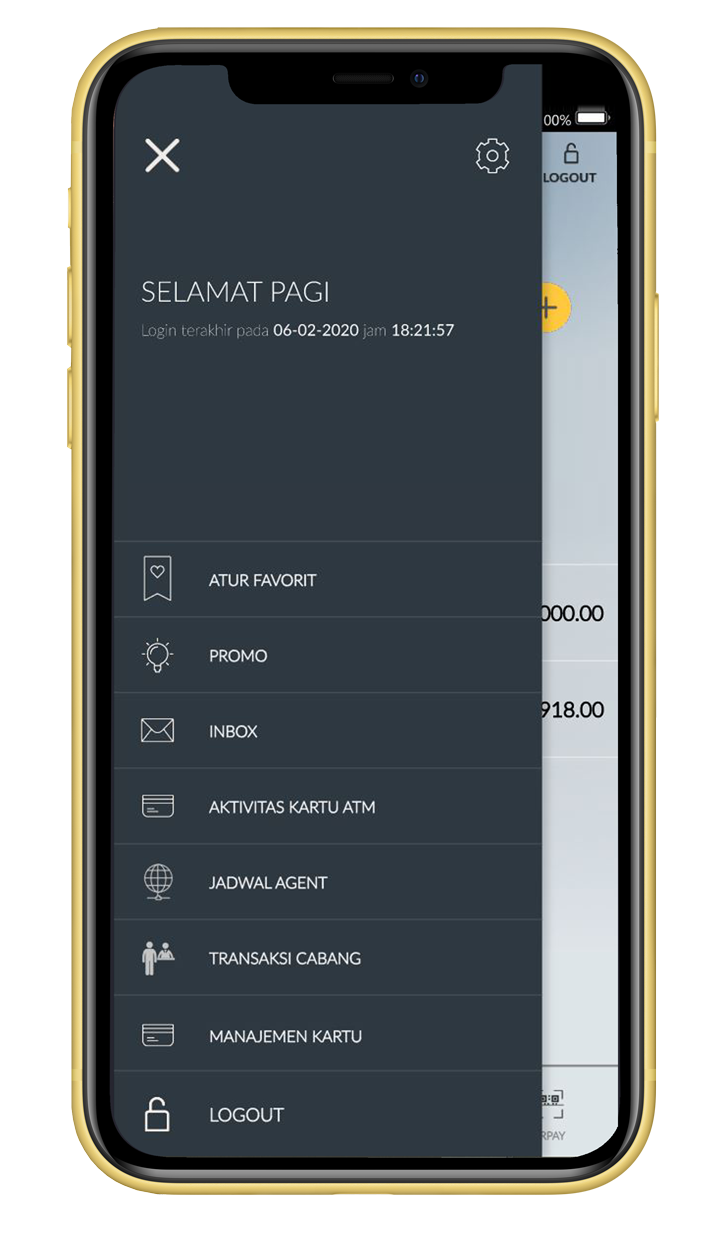
Select Menu icon on the account dashboard
|
 |
3
|
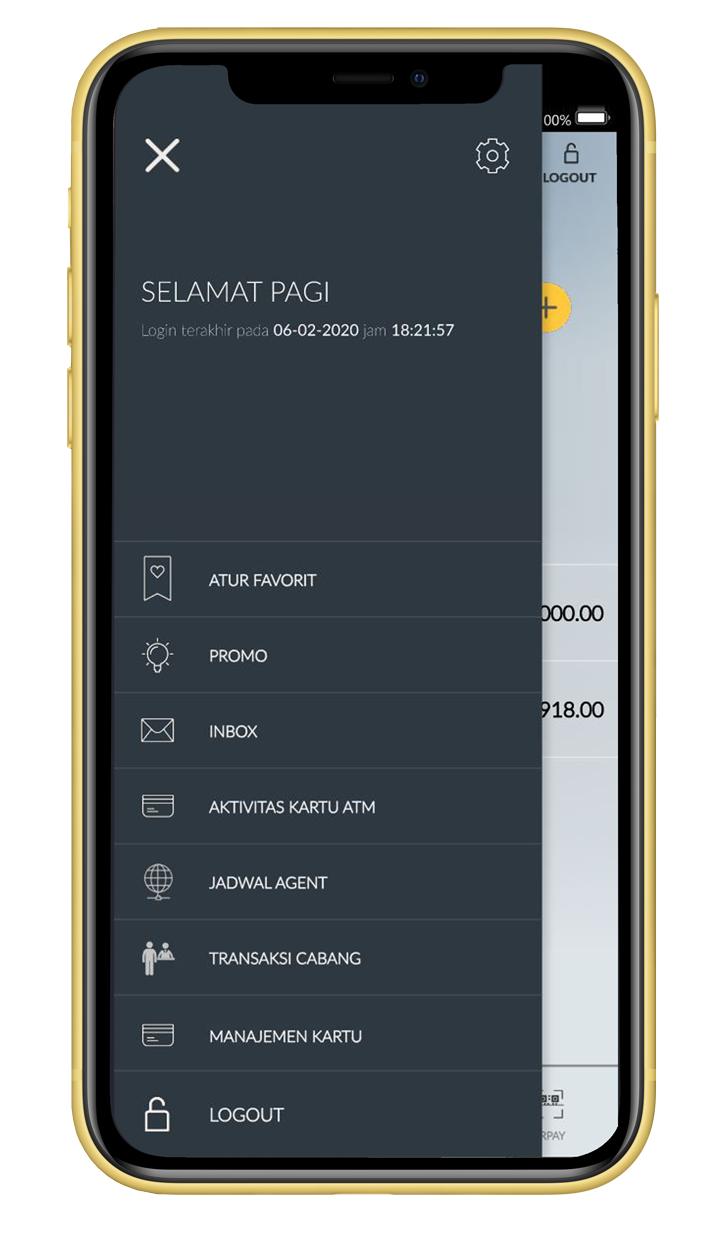
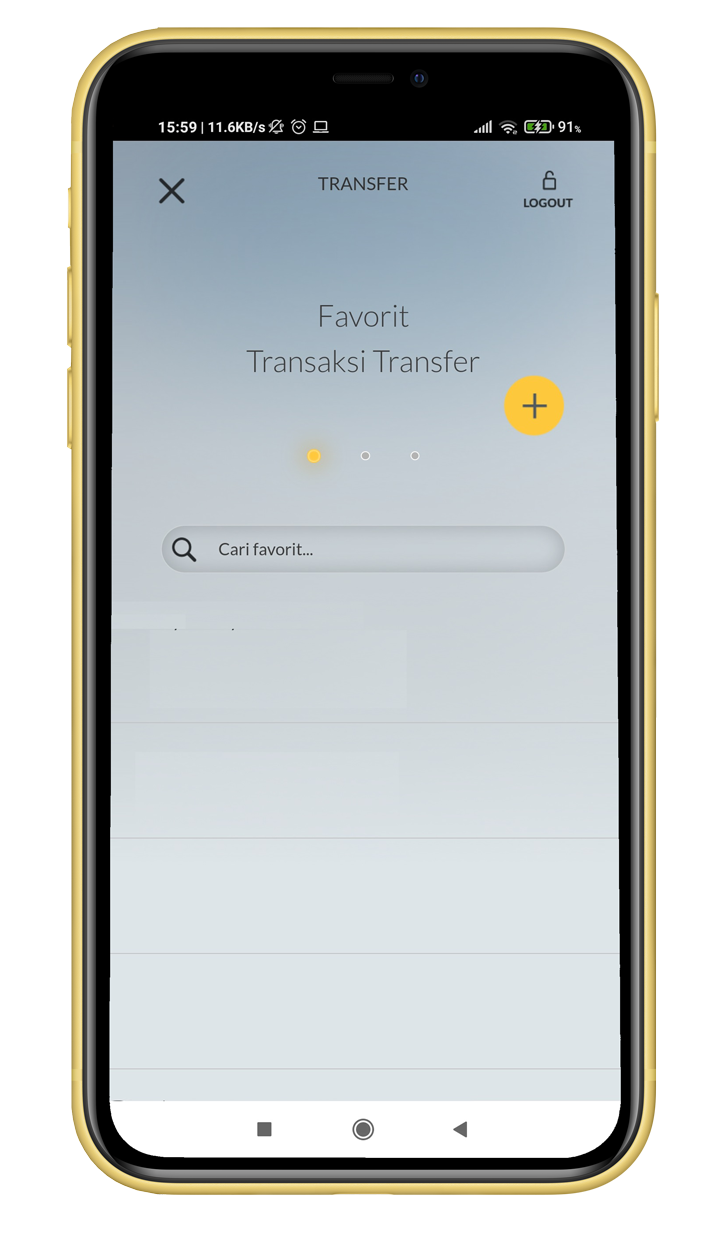
Select Add Favorite
|
 |
4
|
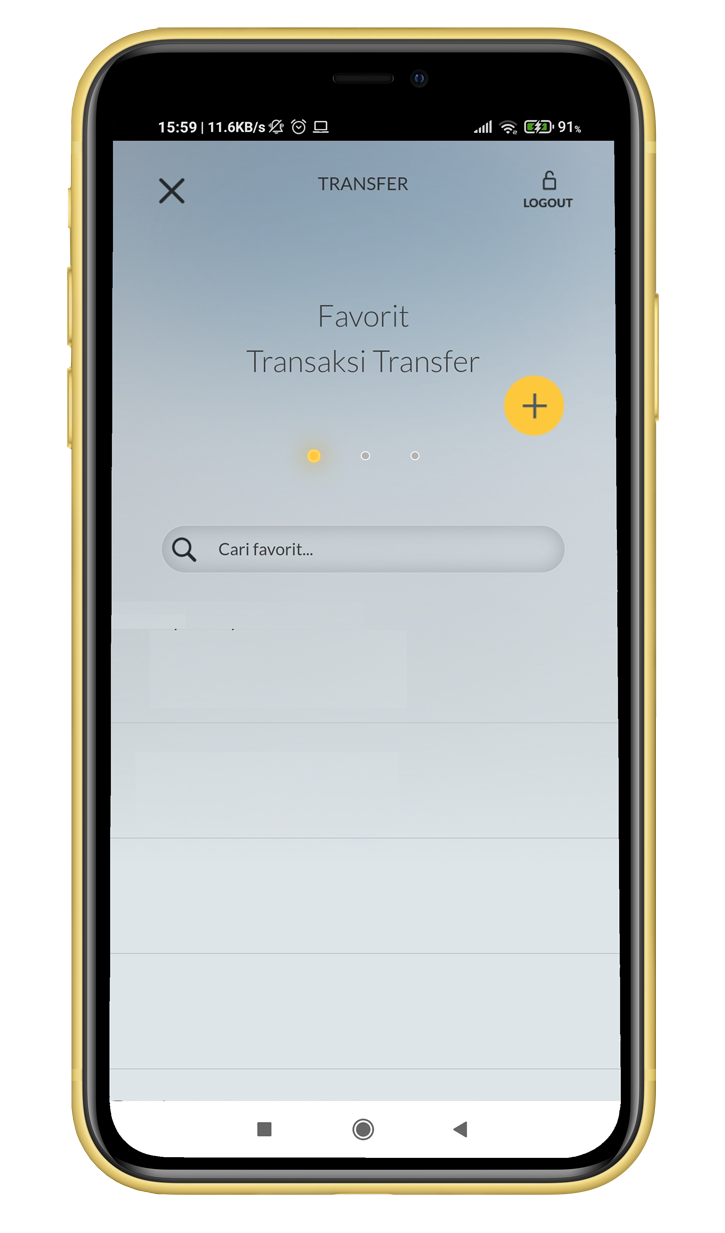
Select (+)
|
 |
5
|
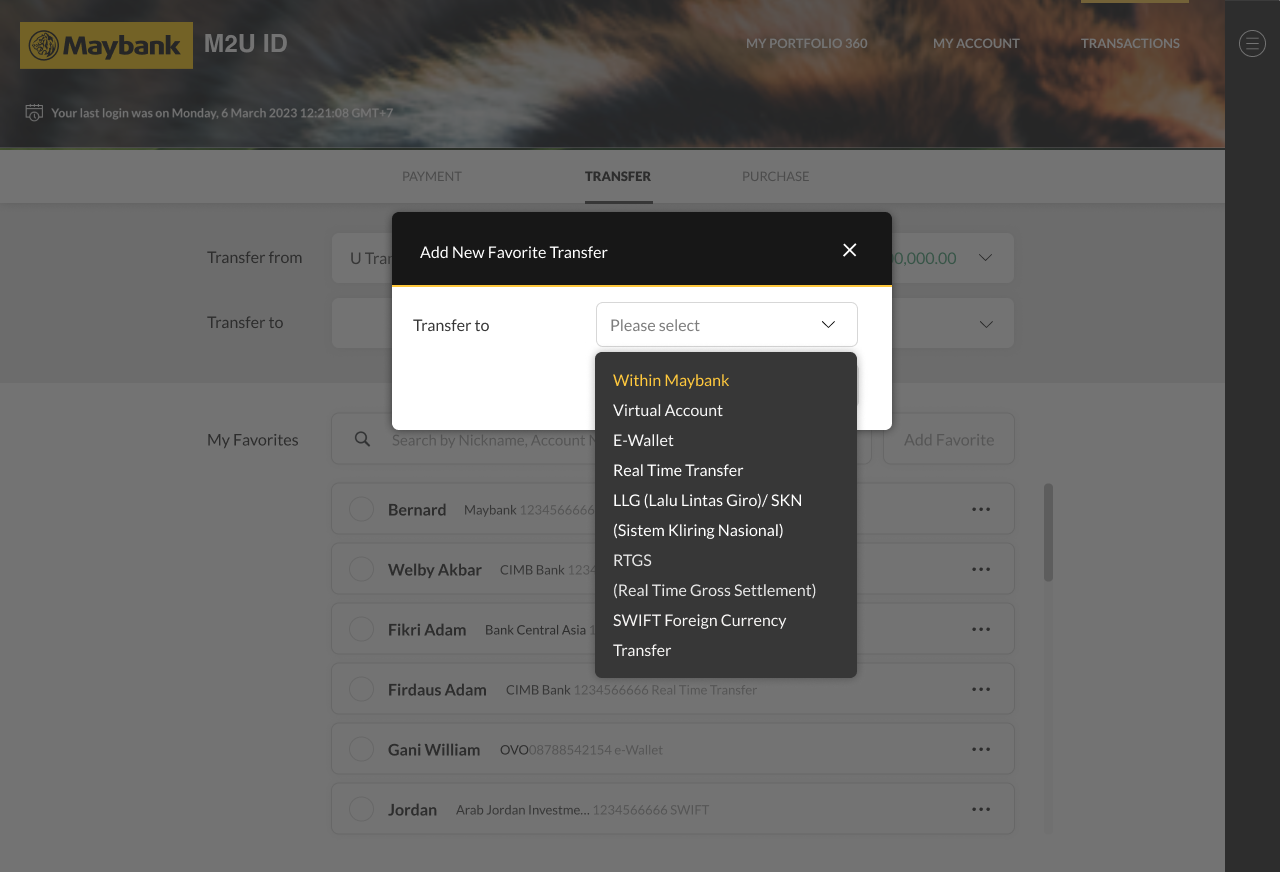
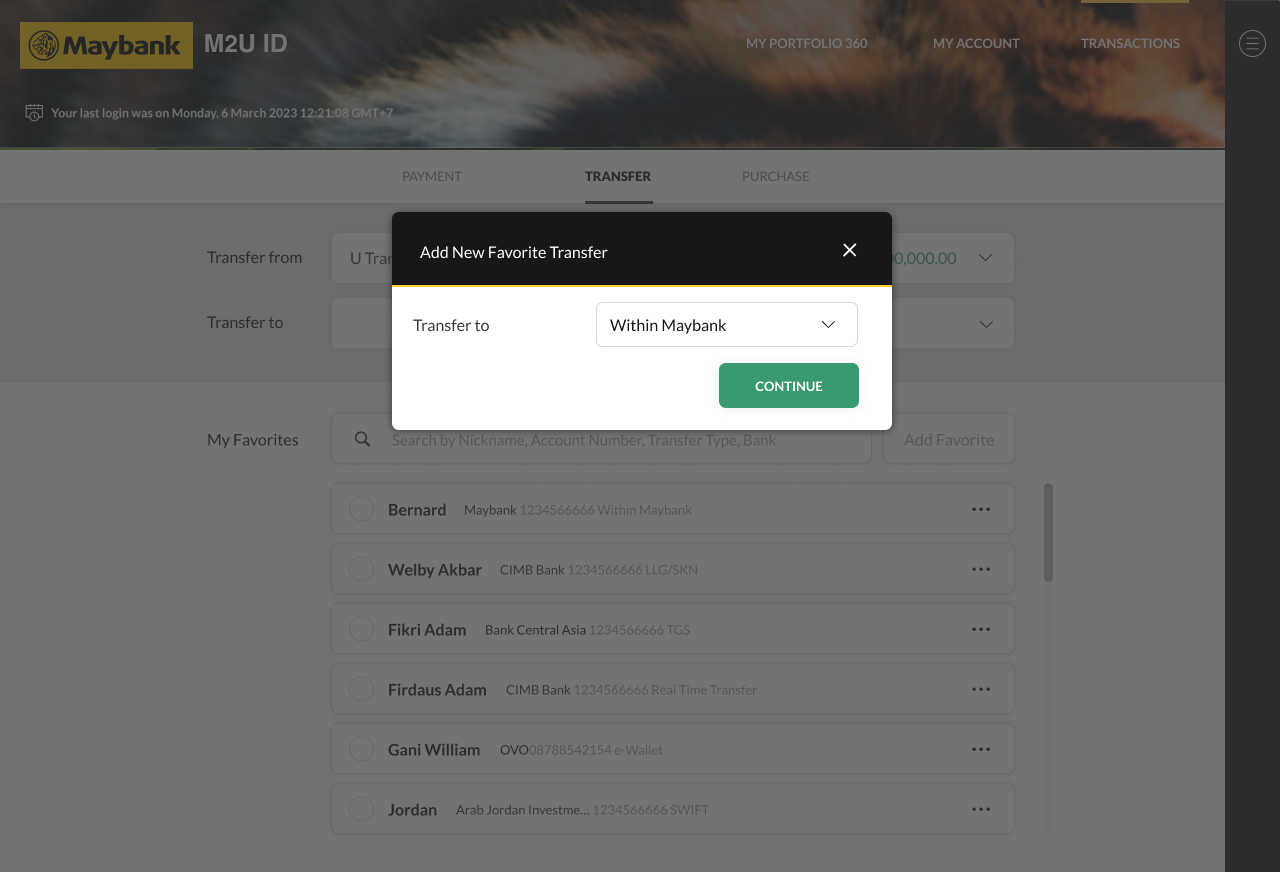
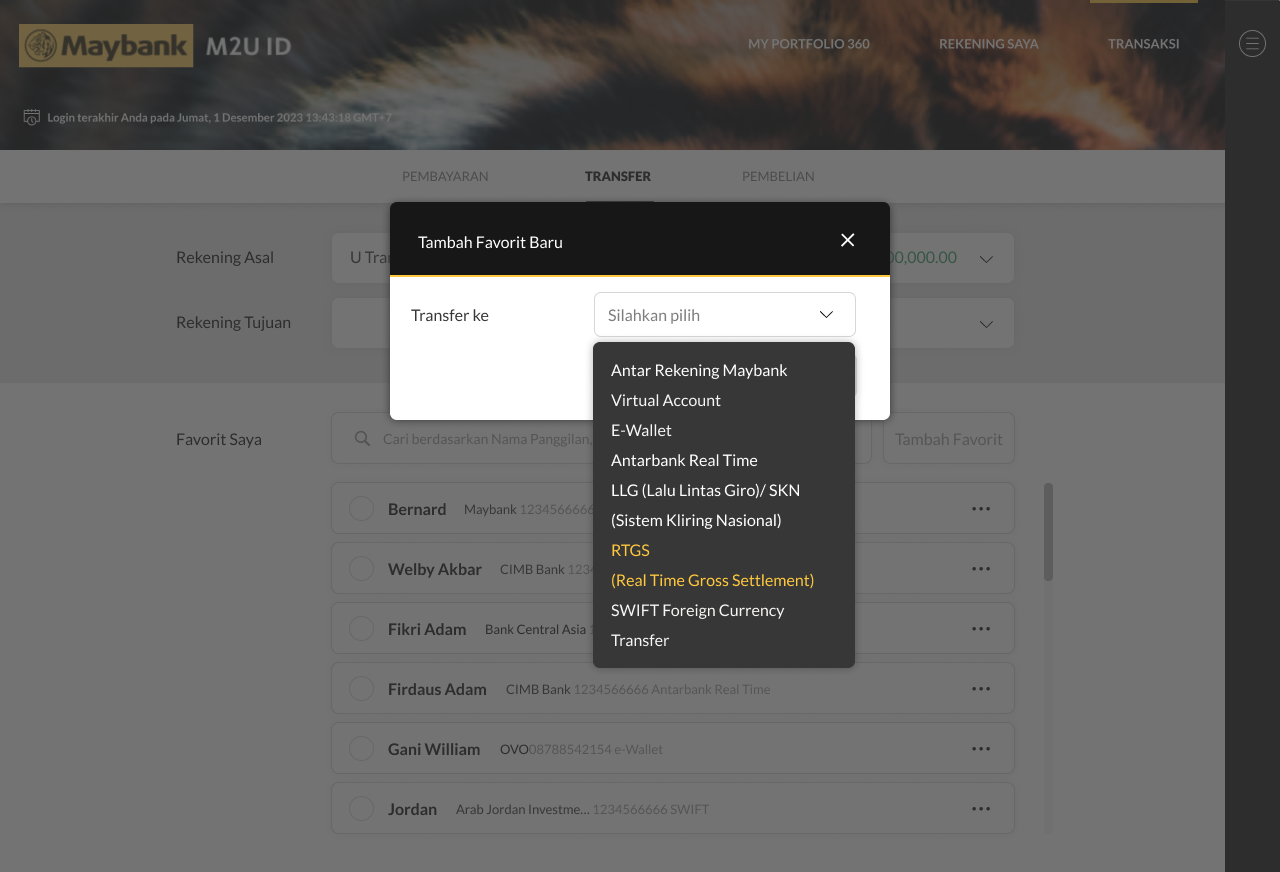
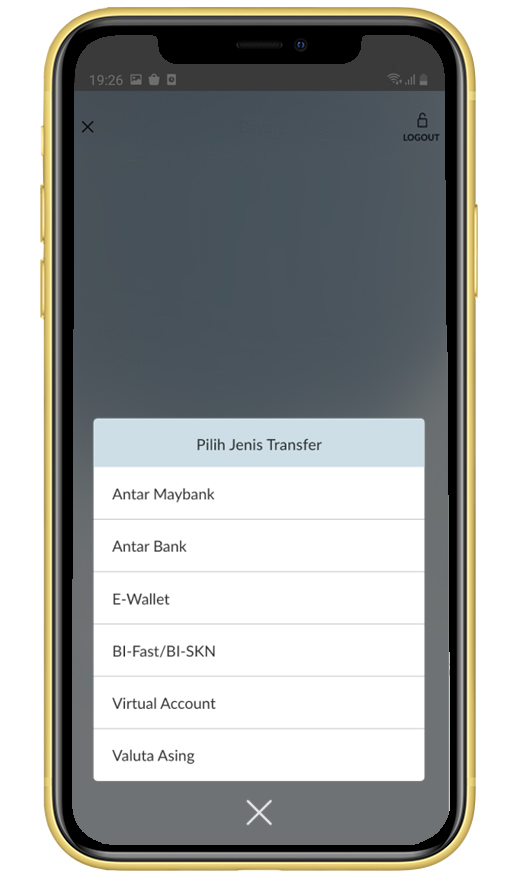
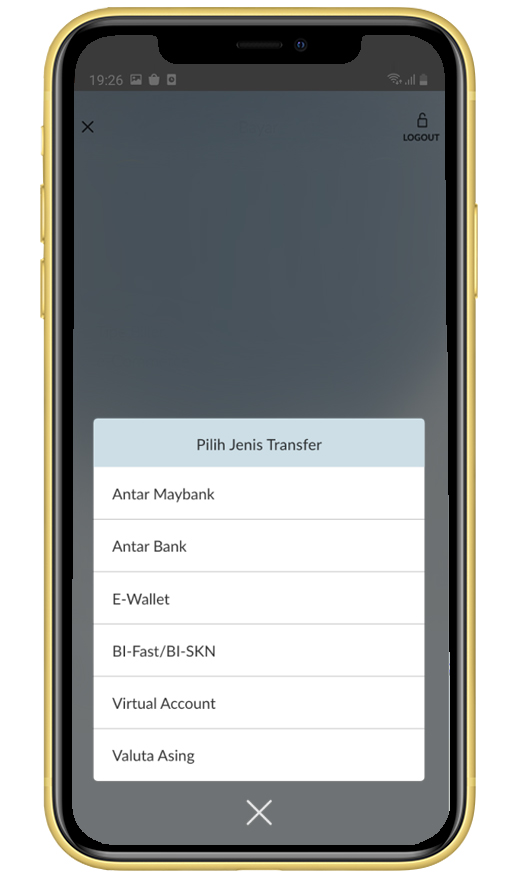
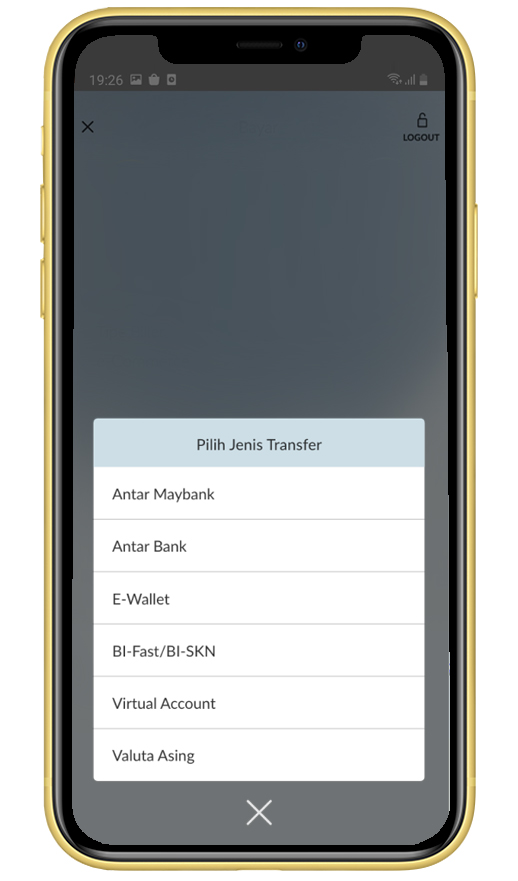
Select transfer type, for example BI-FAST/BI-SKN
|
 |
6
|
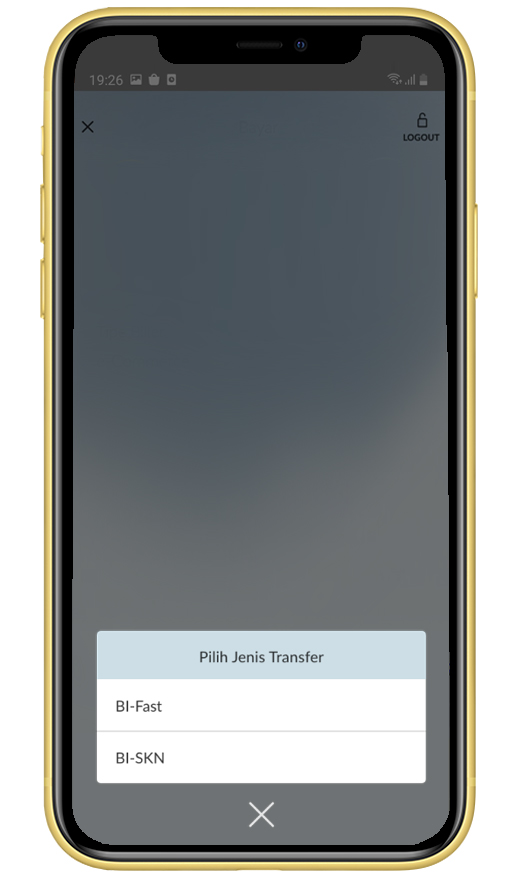
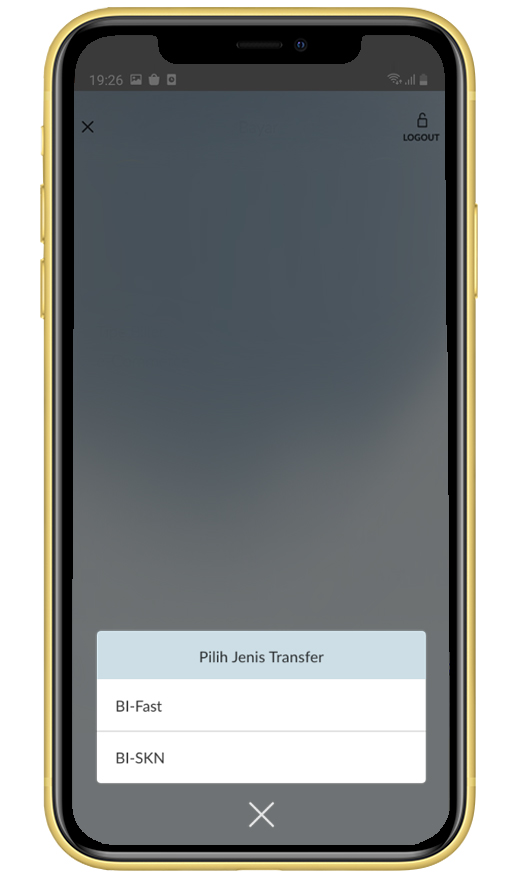
Select BI-FAST
|
 |
7
|
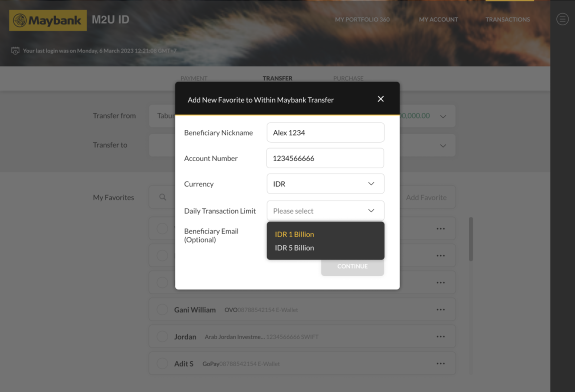
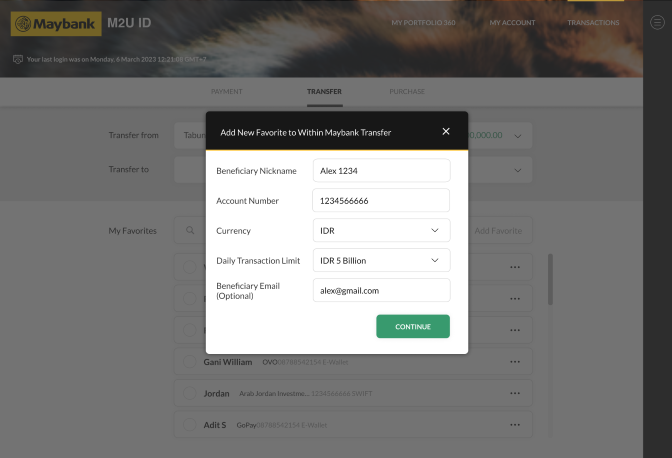
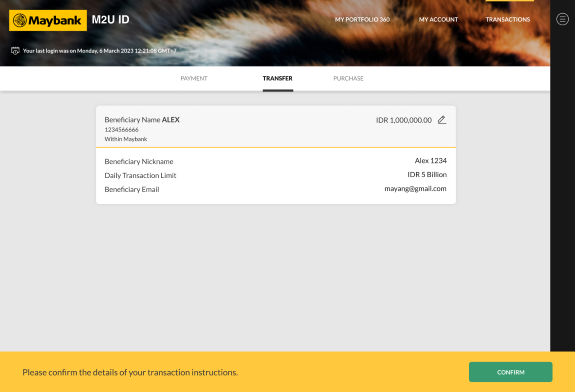
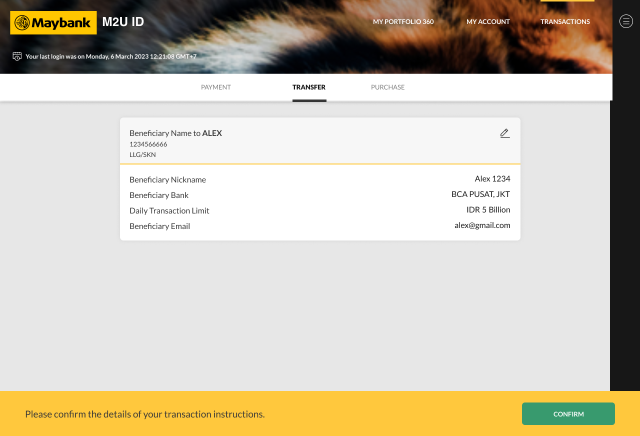
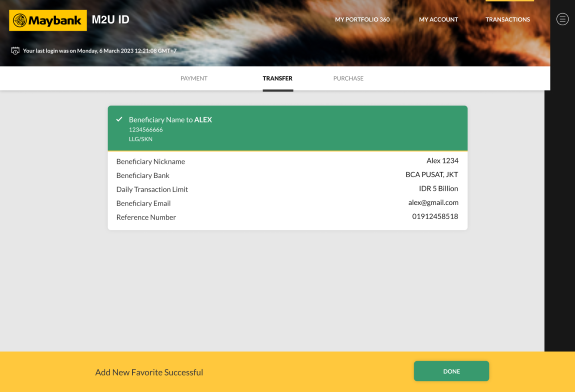
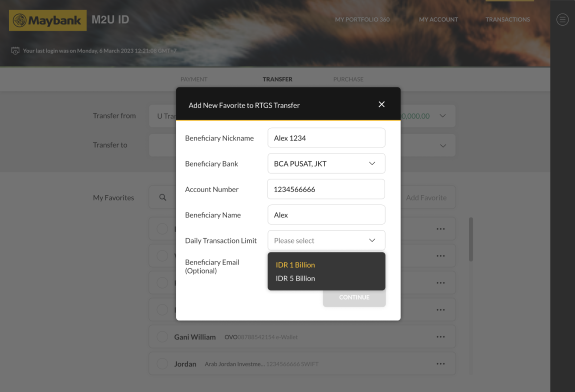
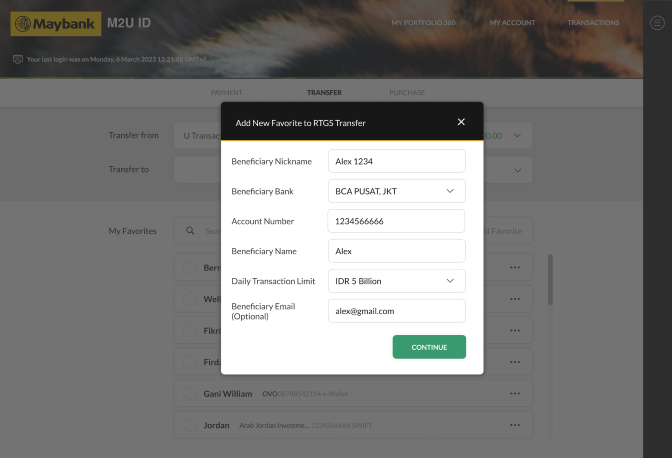
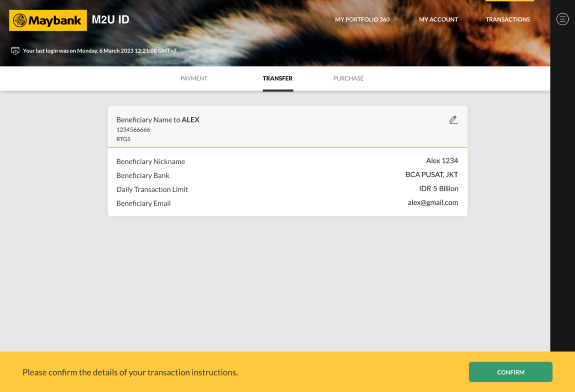
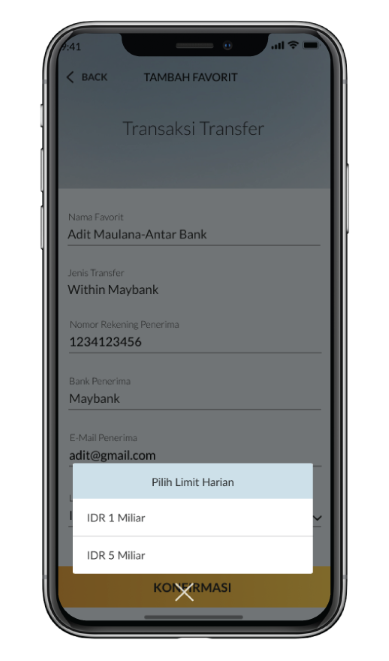
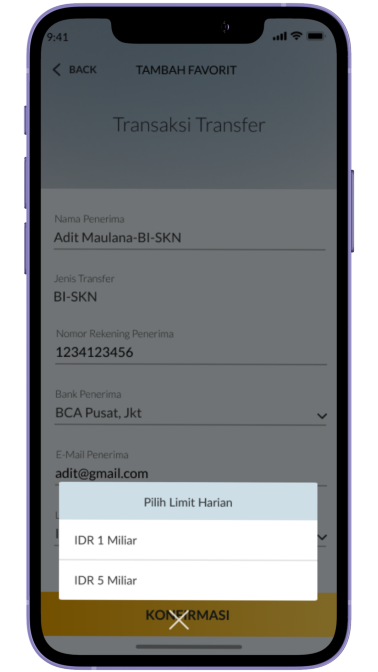
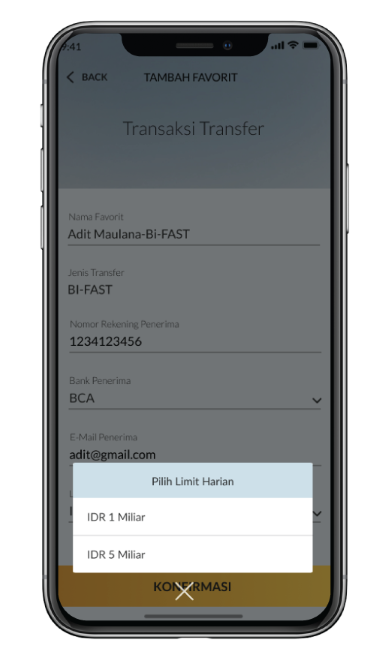
Input account details, select 5 billion on the daily limit column, then select Confirm
|
 |
8
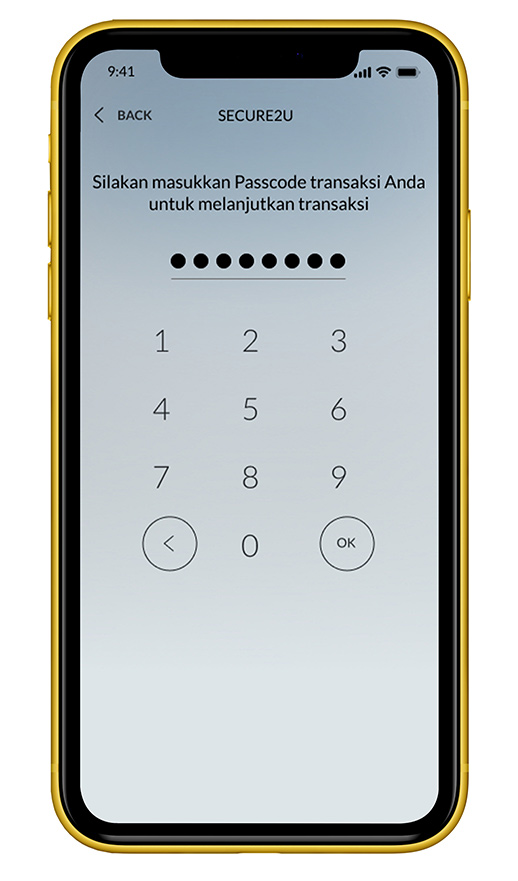
|
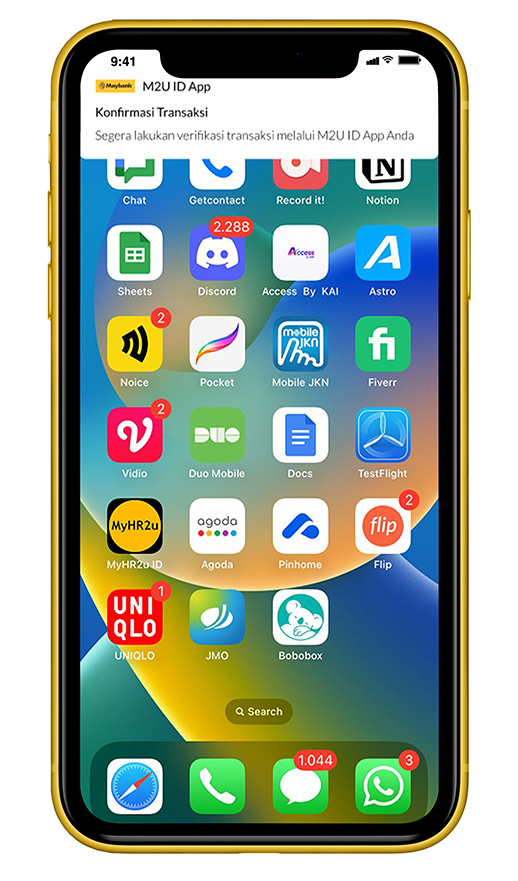
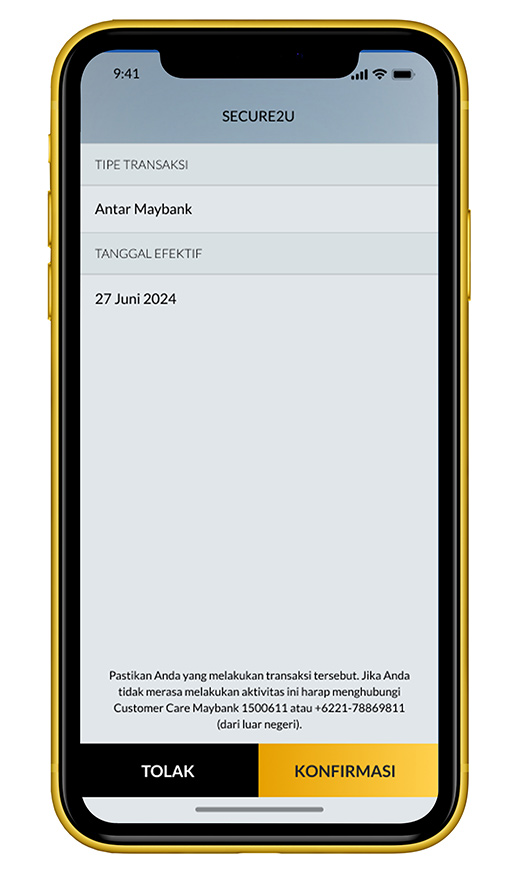
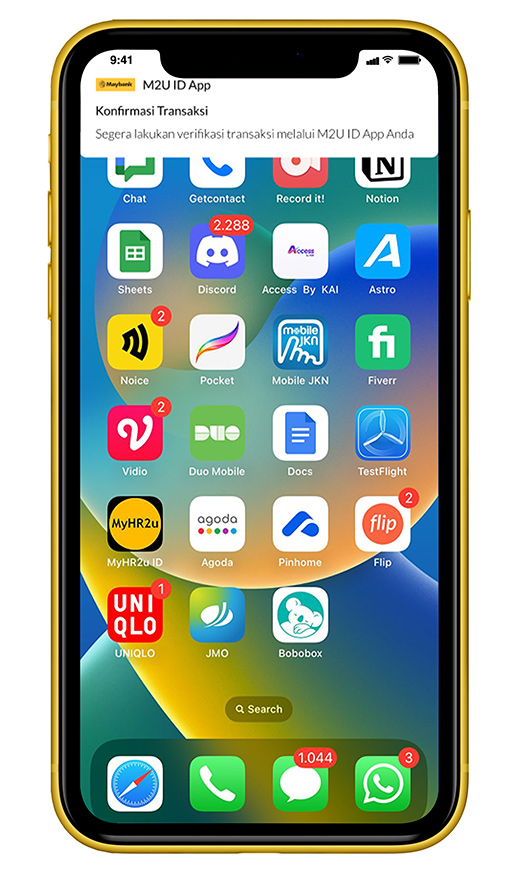
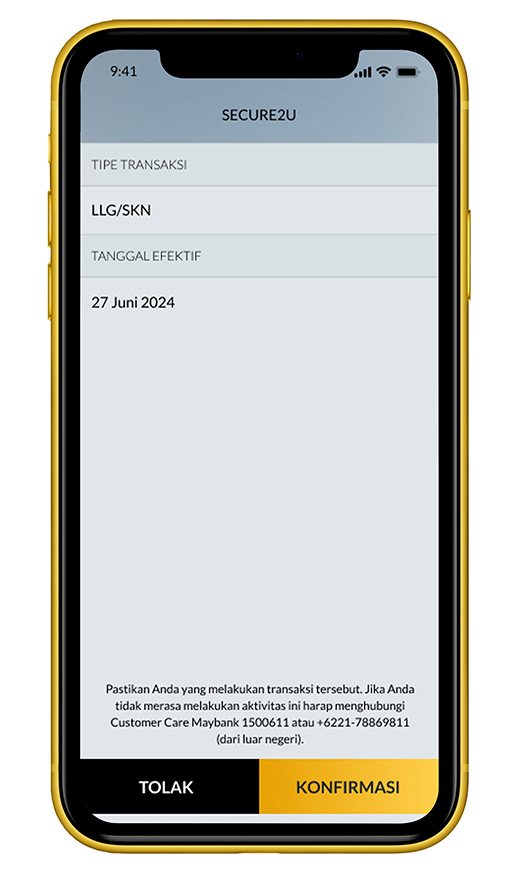
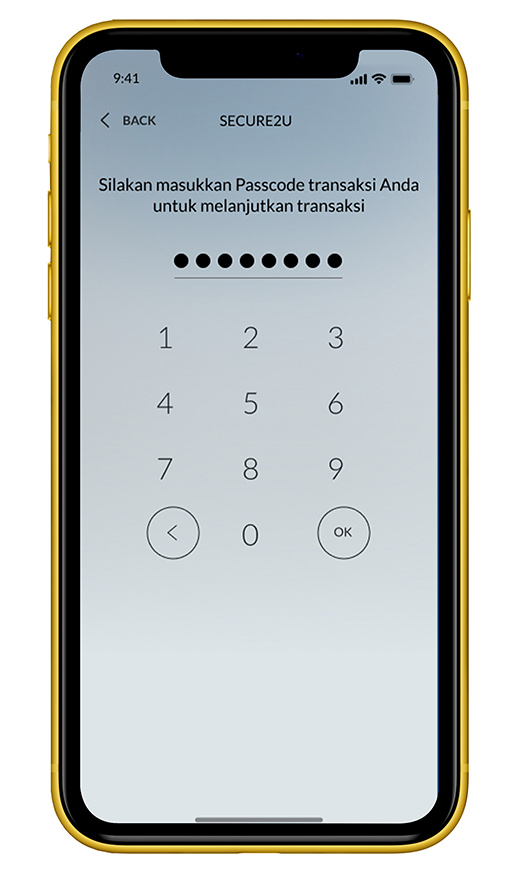
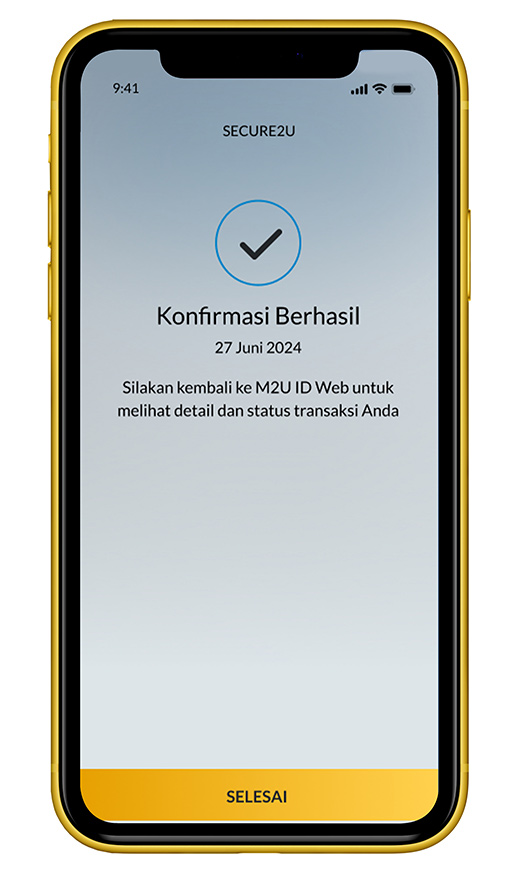
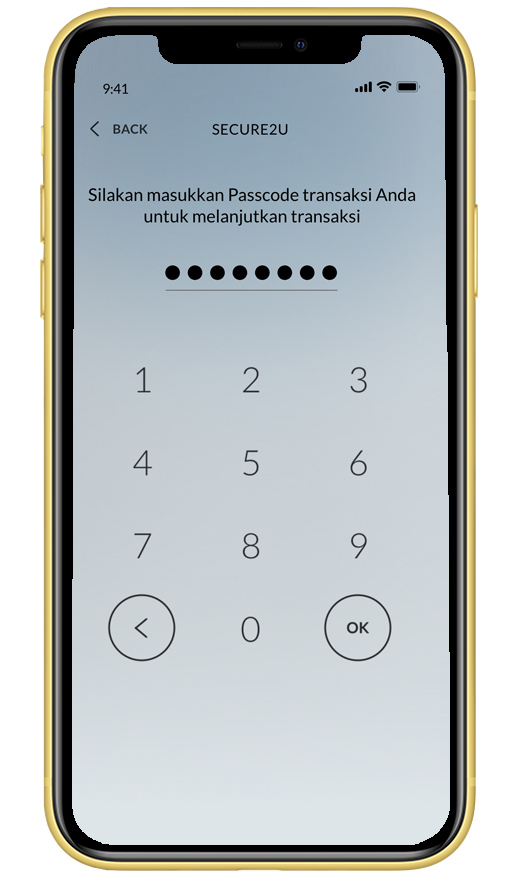
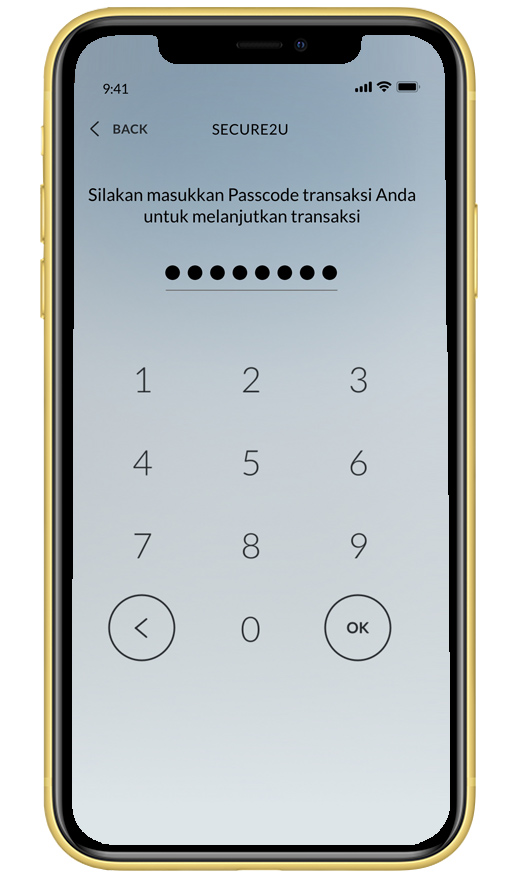
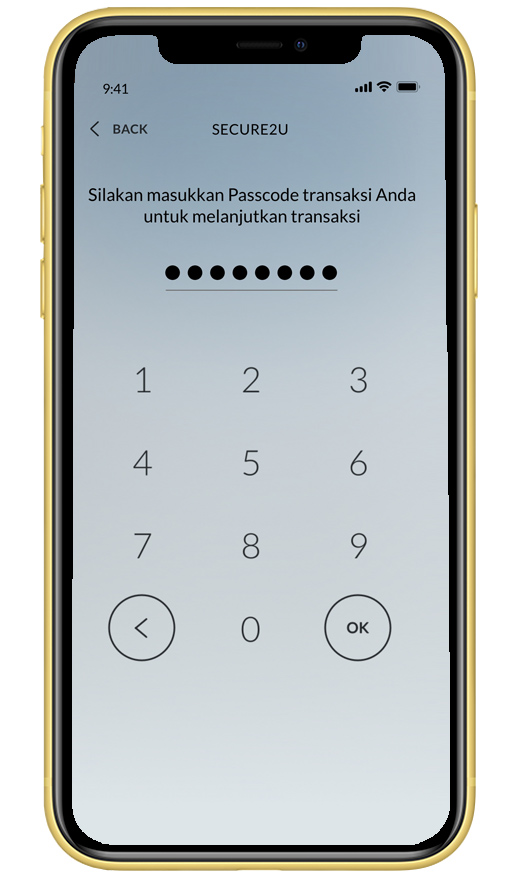
Input Secure2u passcode
|
 |
9
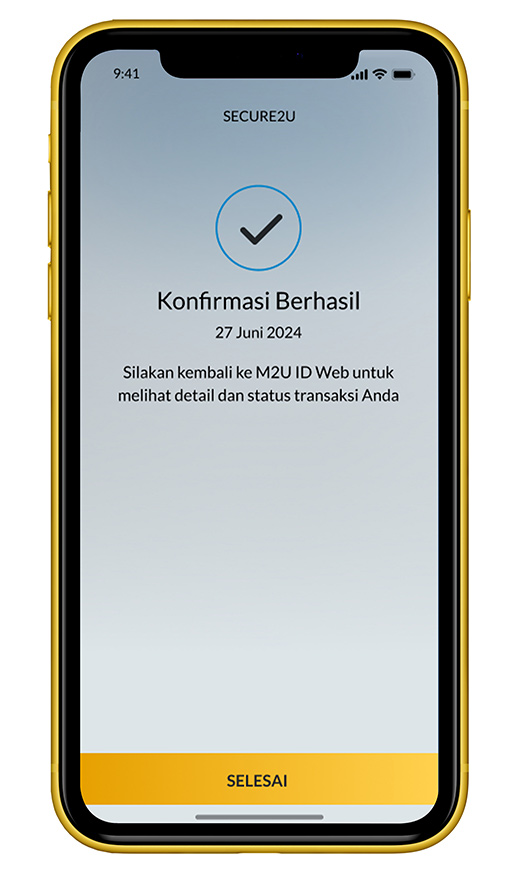
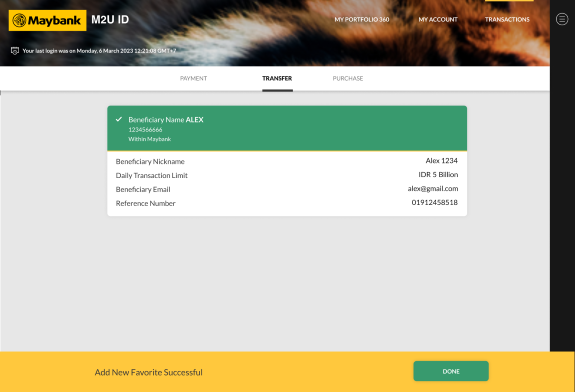
|
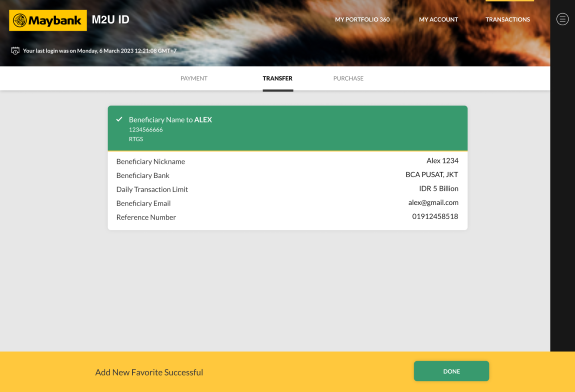
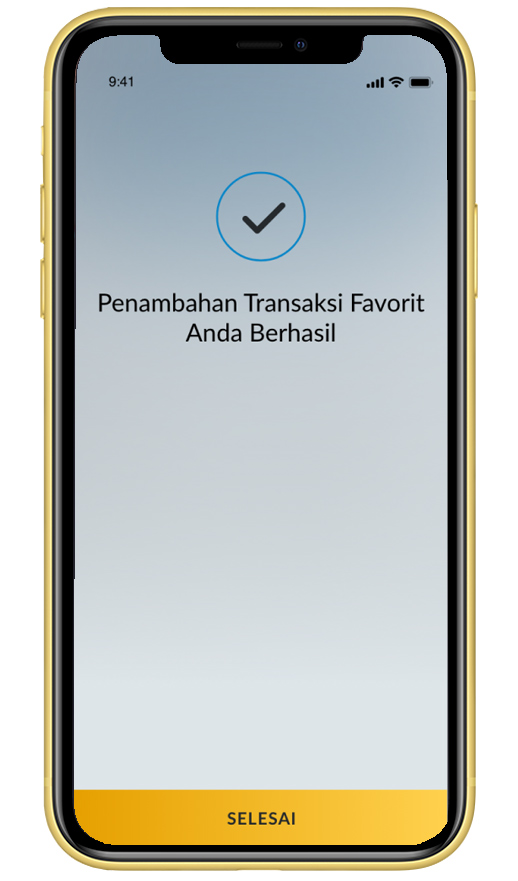
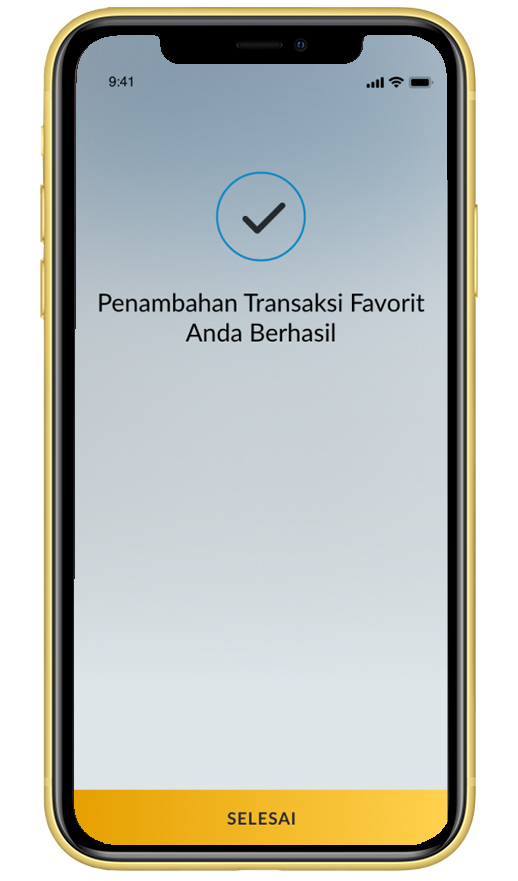
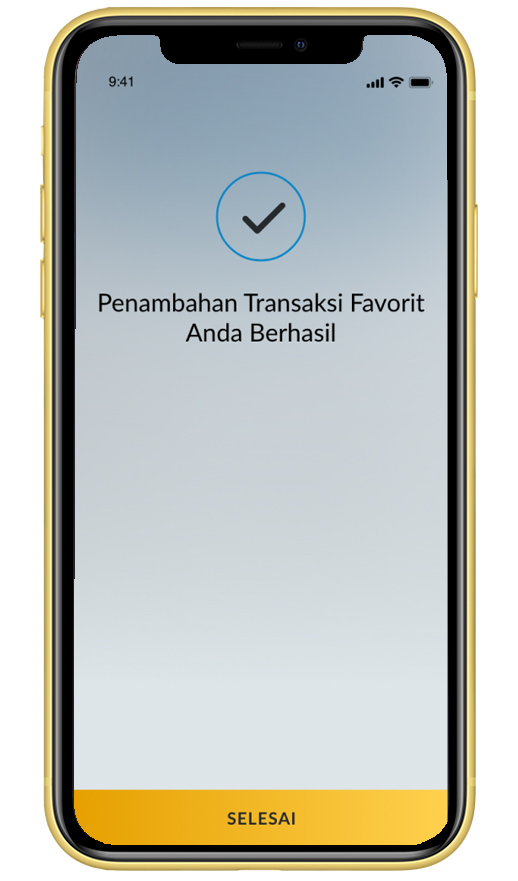
Add Favorite is successful
|
 |

SHARIA
Halal Ecosystem
Halal Indo Expo 2026
Muslim Life Fest 2026
Islamic Banking as a Service (iBaaS)
Sukuk Investment
Sharia Mutual Fund
Shariah Wealth Management
Simpanan Syariah
Shariah Promotion Program
Hajj and Umrah
Zakat, Infaq & Sadaqah
Sharia Business
Property Financing iB
Instant Financing iB
Car Financing iB
Motorcycle Financing iB
Profit Sharing
Shariah Leaders Forum
Halal Indo Expo 2026
Muslim Life Fest 2026
Islamic Banking as a Service (iBaaS)
Sukuk Investment
Sharia Mutual Fund
Shariah Wealth Management
Simpanan Syariah
Shariah Promotion Program
Hajj and Umrah
Zakat, Infaq & Sadaqah
Sharia Business
Property Financing iB
Instant Financing iB
Car Financing iB
Motorcycle Financing iB
Profit Sharing
Shariah Leaders Forum
OTHERS
Apply Online
Customer Support
Japan Desk
KPR Maybank Payroll
Promotion
Customer Support
Visit Malaysia
News & Announcements
KPM Privilege
Locate Us
Refer a Friend
Fees & Charges
Rates Information
Maybank Basic Credit Interest Rate
Customer Education
External Link
Security Privacy and Policy
Social Media Community Guidelines
Customer Support
Japan Desk
KPR Maybank Payroll
Promotion
Customer Support
Visit Malaysia
News & Announcements
KPM Privilege
Locate Us
Refer a Friend
Fees & Charges
Rates Information
Maybank Basic Credit Interest Rate
Customer Education
External Link
Security Privacy and Policy
Social Media Community Guidelines


Select Country





Please wait a moment...

Corporate Online Services