



Access the Tax Supporting Document Conveniently
Tax reporting requirements are now easier! Tax Supporting Document are available on the M2U ID App (mobile banking), providing information on assets, liabilities, and income tax related to the products you have with Maybank. Accessing your reports is quick and convenient through the M2U ID App.
Assets include Savings products (Maybank Savings, Maybank Current Accounts & Maybank Time Deposits), including Sharia-compliant savings accounts; Investment products (Mutual Funds, Bonds, and Insurance); and Pegadaian Gold Savings. Meanwhile, liabilities include Maybank Home Loans, Maybank Personal Loans, and Maybank Credit Cards.
How To Guide to Access the Tax Supporting Document
|
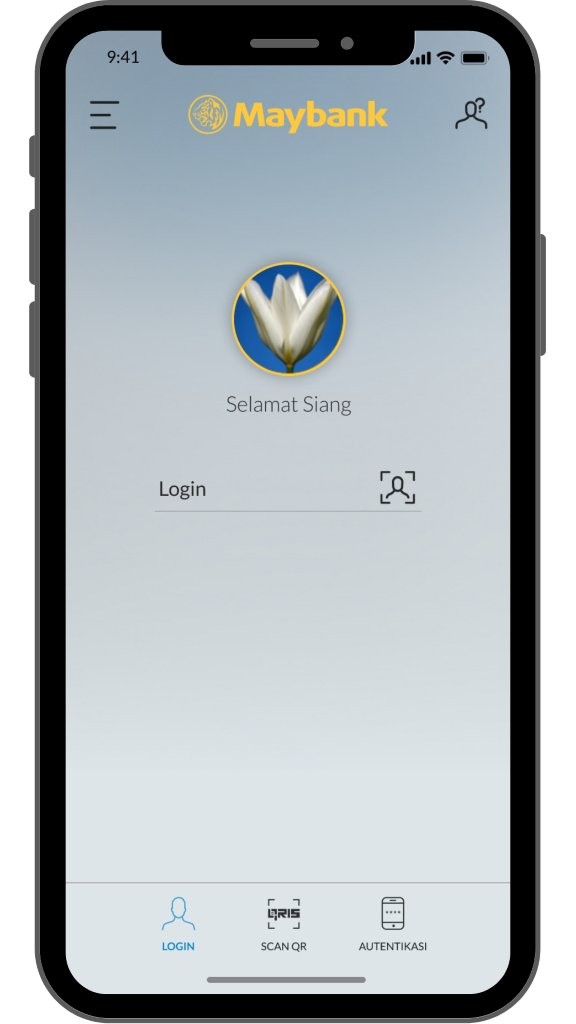
Login to M2U ID App |
 |
|
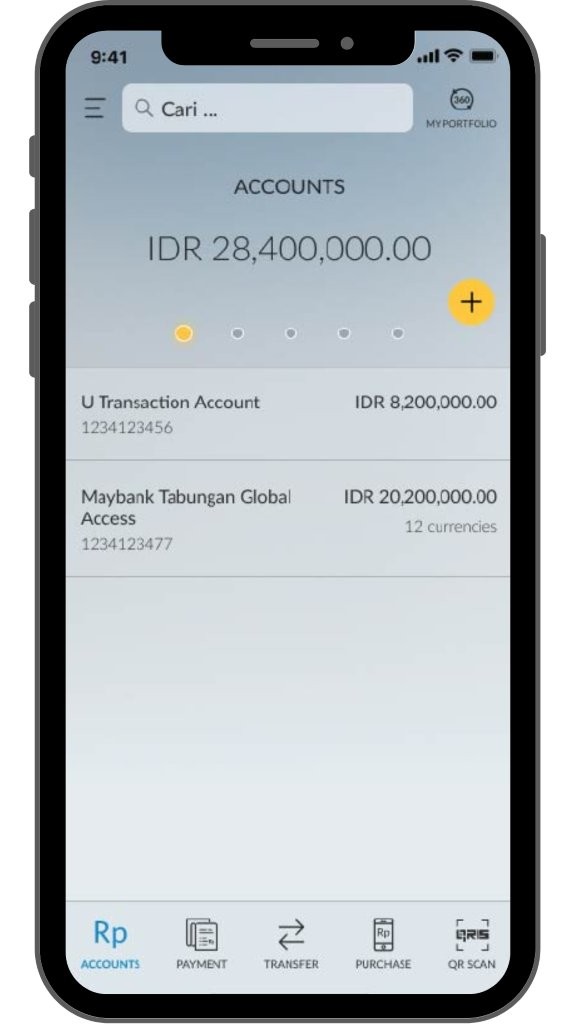
On your account dashboard, click the menu icon on the upper left corner |
 |
|
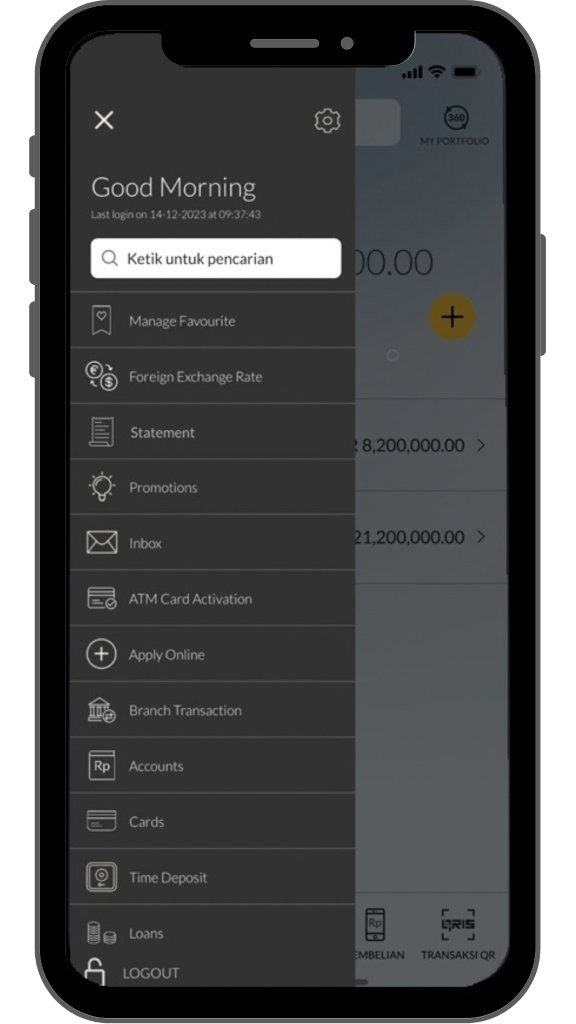
Select ‘Statement’ menu |
 |
|
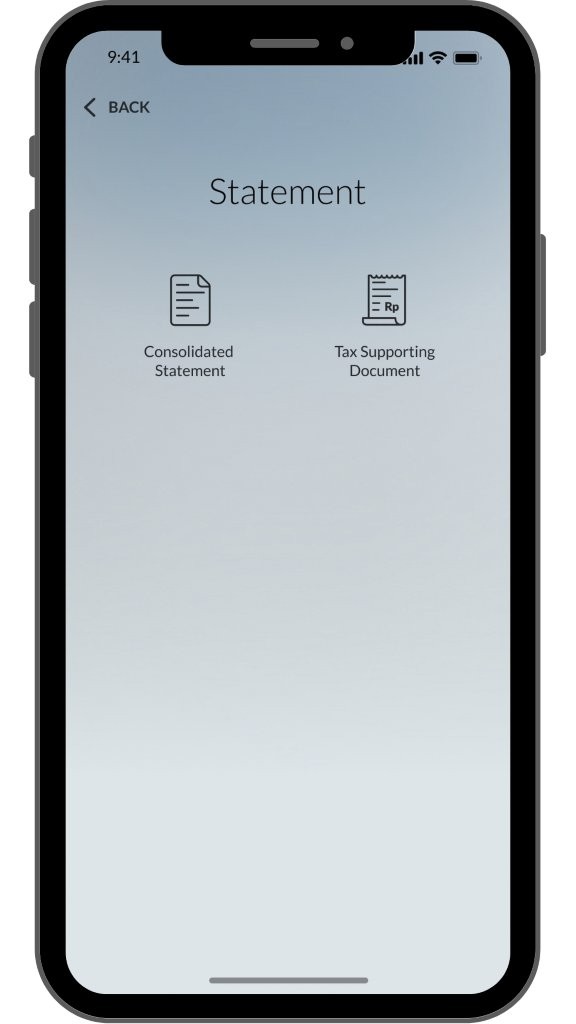
Select Tax Supporting Document |
 |
|
Select the year of tax statement, then click Download. Note: Customers can download up to 3 years of tax statement in one request
|
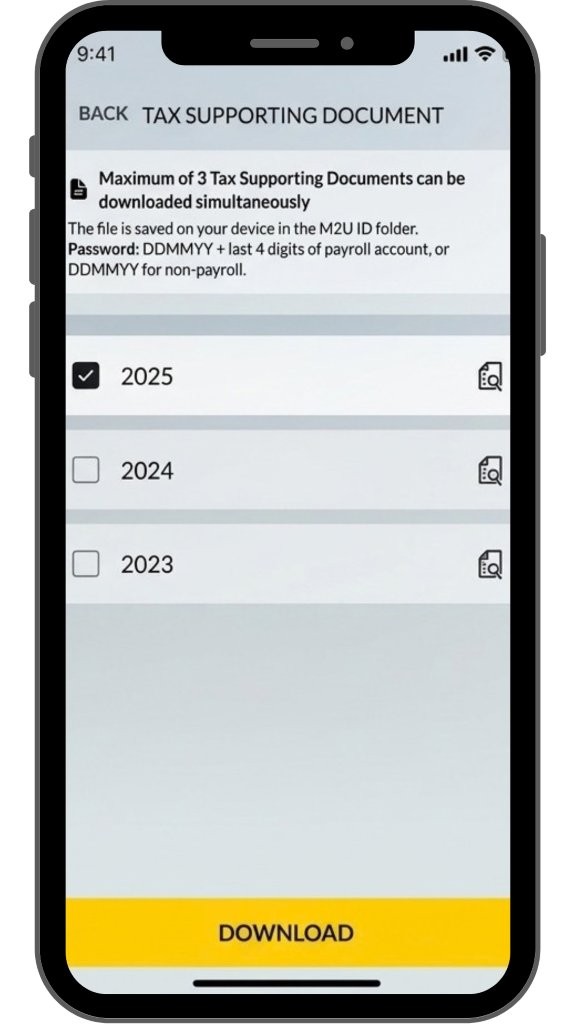 |
|
Select the year of tax statement, then click the magnifying glass icon to see the tax statement |
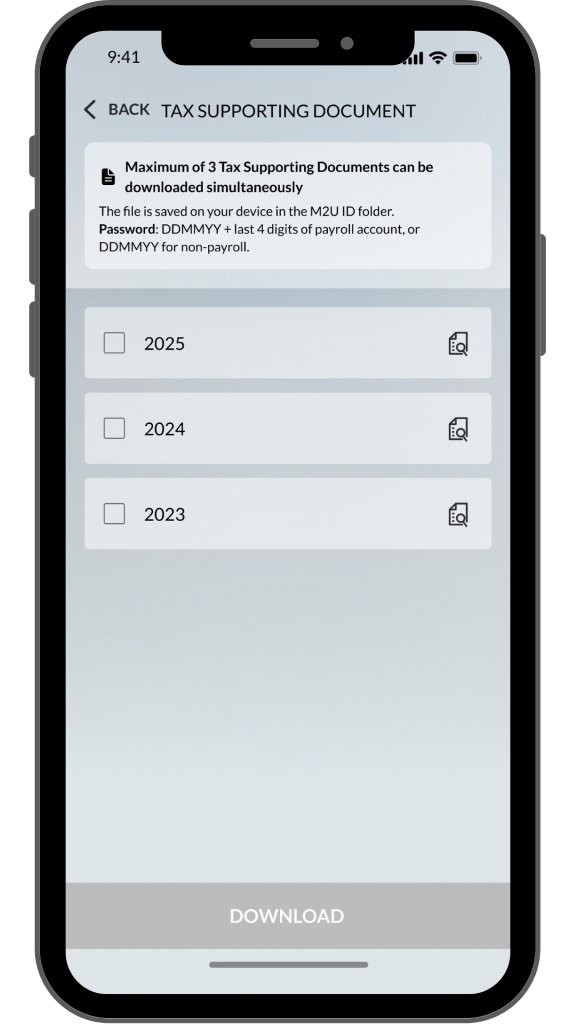 |
|
Read Password Information, then select OK to open the report |
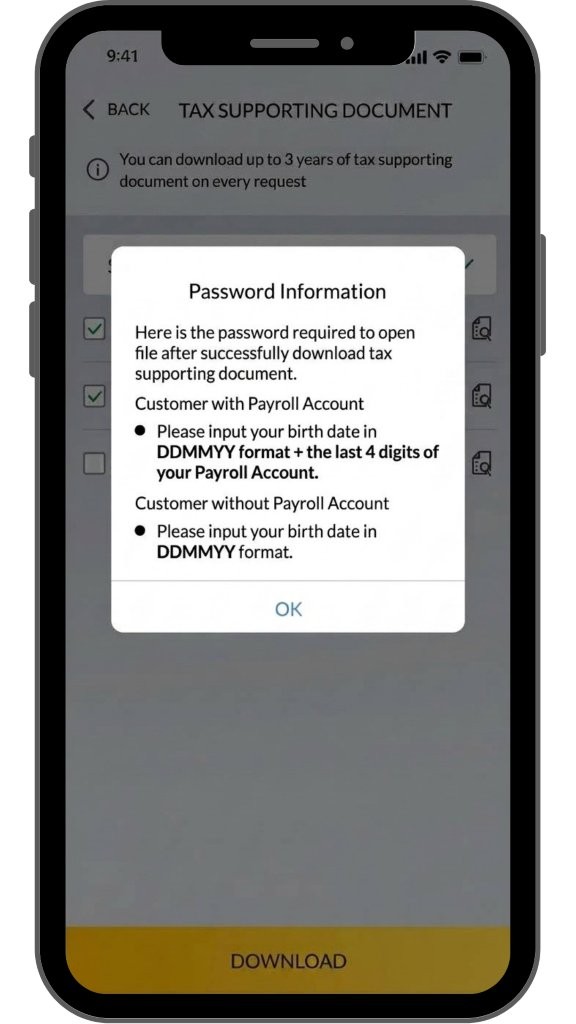 |
|
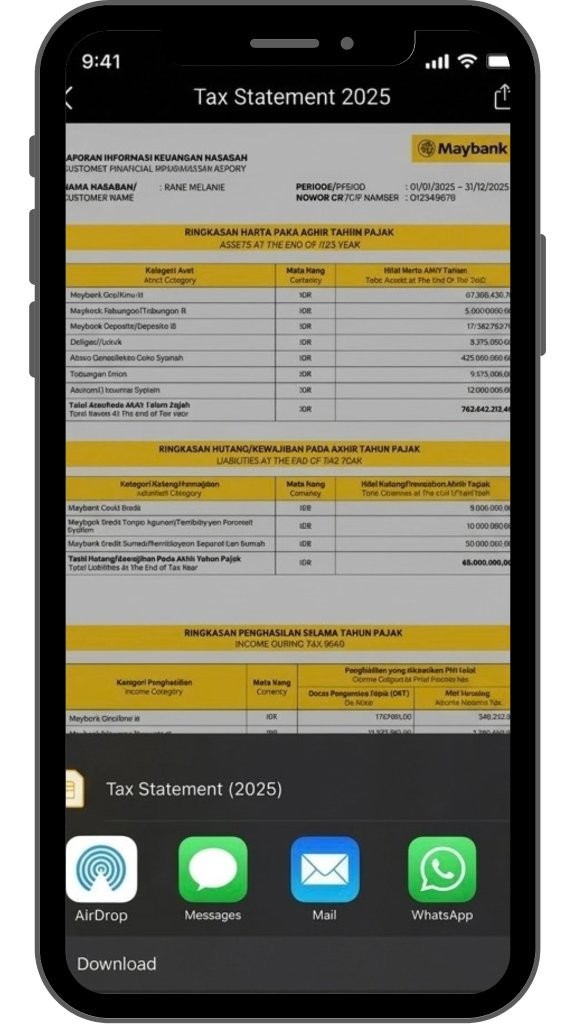
Tax supporting document will be showed. Select download icon on the right upper corner to download |
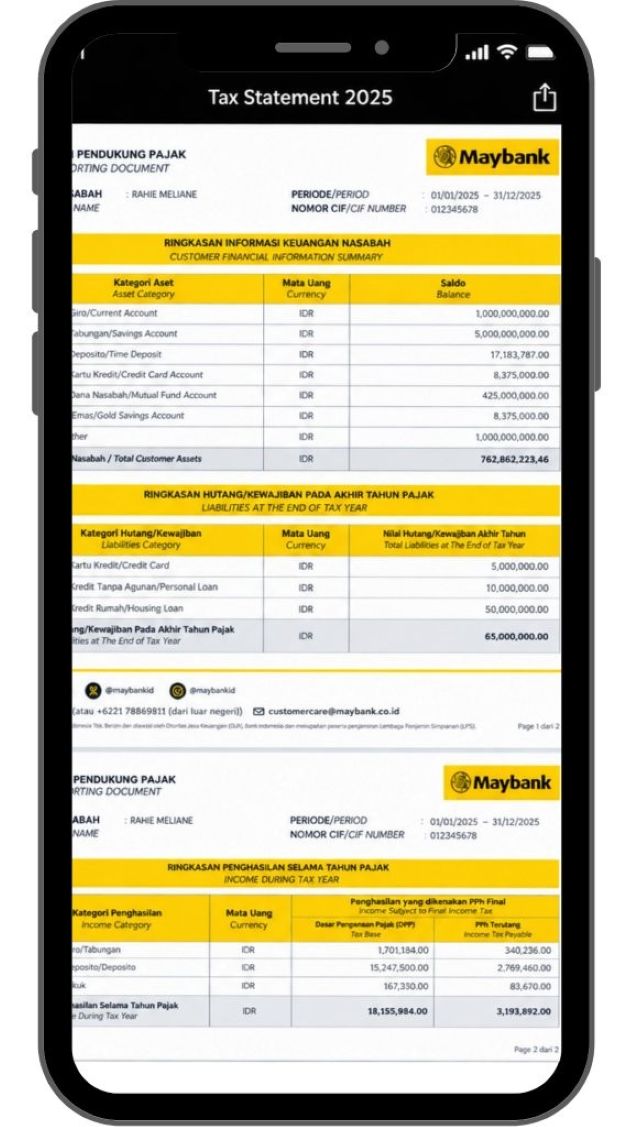 |
|
Select a folder on your device to save the report |
 |
|
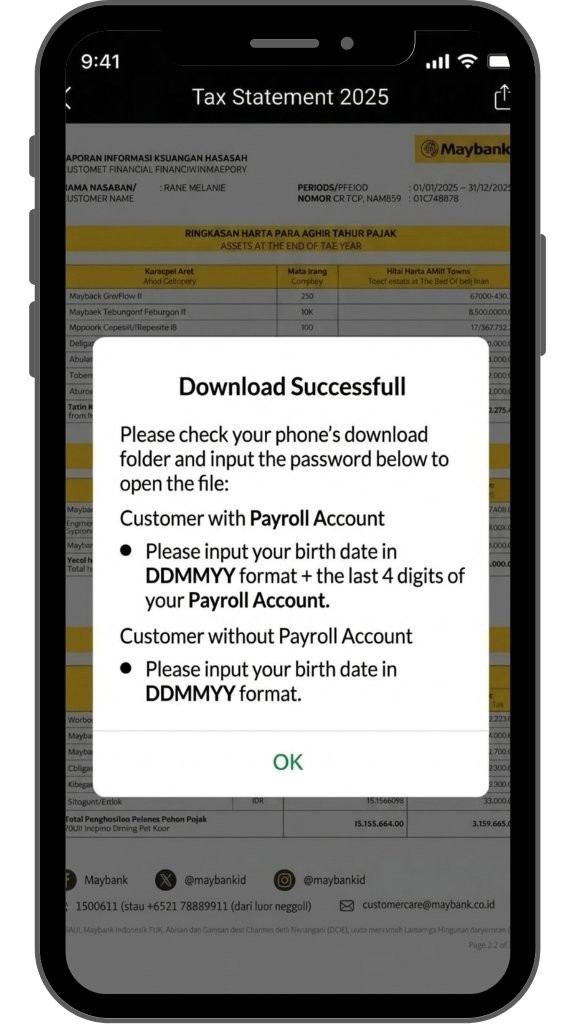
Download report is successful. To open the report file, input password accordingly |
 |

SHARIA
Halal Indo Expo 2026
Muslim Life Fest 2026
Islamic Banking as a Service (iBaaS)
Sukuk Investment
Sharia Mutual Fund
Shariah Wealth Management
Simpanan Syariah
Shariah Promotion Program
Hajj and Umrah
Zakat, Infaq & Sadaqah
Sharia Business
Property Financing iB
Instant Financing iB
Car Financing iB
Motorcycle Financing iB
Profit Sharing
Shariah Leaders Forum
OTHERS
Customer Support
Japan Desk
KPR Maybank Payroll
Promotion
Customer Support
Visit Malaysia
News & Announcements
KPM Privilege
Locate Us
Refer a Friend
Fees & Charges
Rates Information
Maybank Basic Credit Interest Rate
Customer Education
External Link
Security Privacy and Policy
Social Media Community Guidelines


Select Country






Corporate Online Services