



Bayar BPJS Ketenagakerjaan praktis, bisa melalui M2U ID App (mobile banking).
Fitur pembayaran BPJS Ketenagakerjaan ini untuk Nasabah Perorangan dengan kategori Bukan Penerima Upah (BPU), seperti pekerja paruh waktu, pemuka agama, freelancer/self-employed atau profesional.
Pembayaran dapat dilakukan dengan mudah dan nyaman tanpa harus keluar rumah, langsung dari smartphone kapan pun di mana pun.
Ikuti panduan berikut ini.
1
|
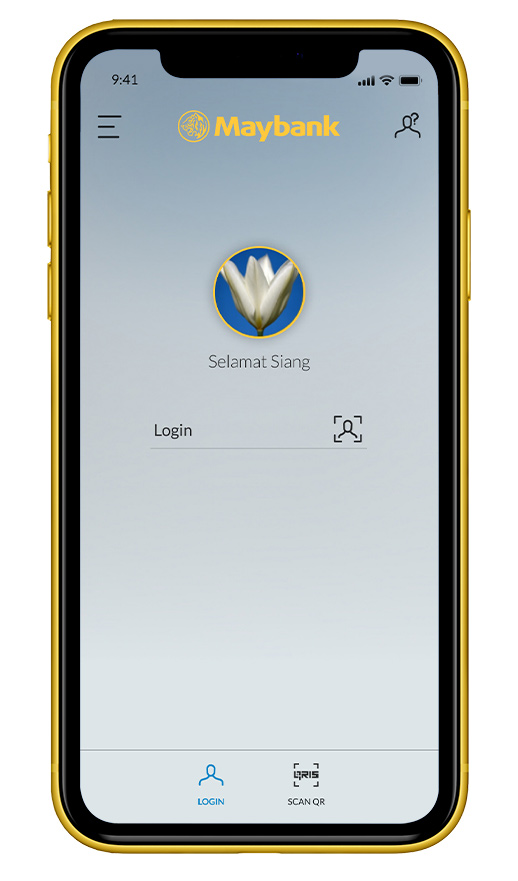
Login ke M2U ID App
|
 |
2
|
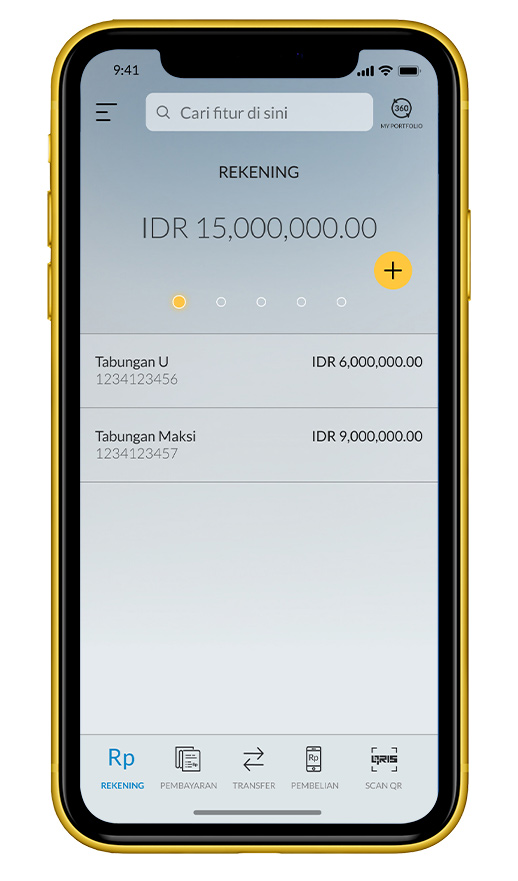
Pilih menu ‘Pembayaran’ pada
tampilan rekening
|
 |
3
|
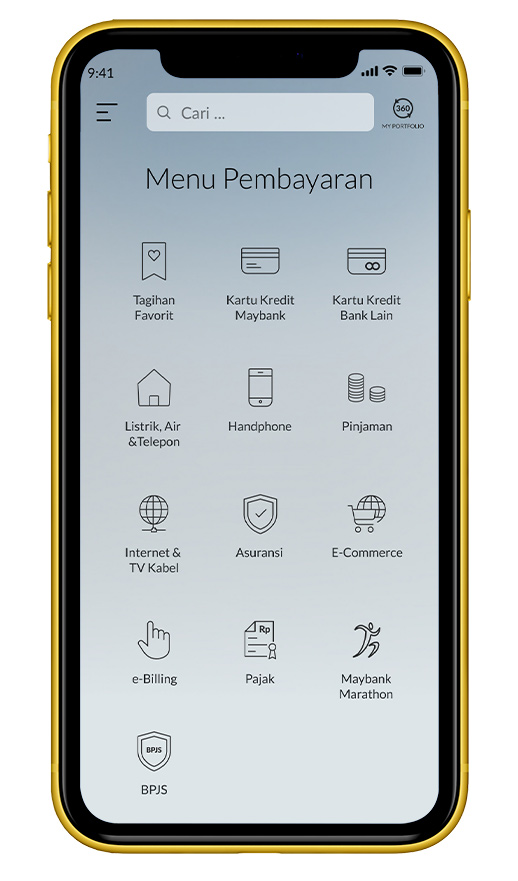
Pilih ‘BPJS’ pada menu
Pembayaran
|
 |
4
|
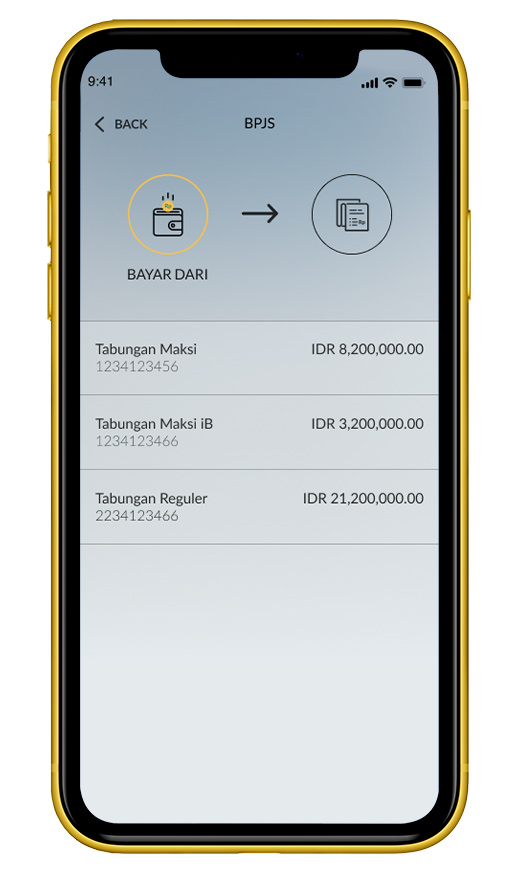
Pilih sumber rekening pembayaran
|
 |
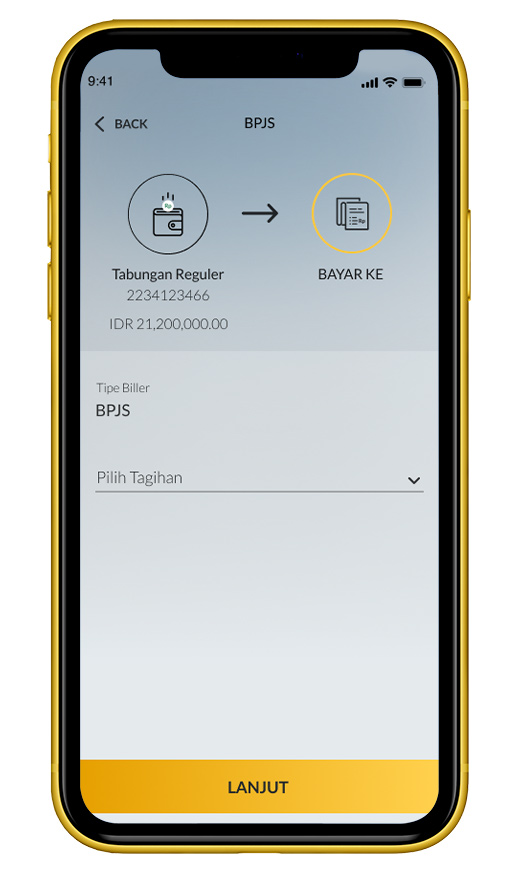
5a
|
Pilih ‘Pilih Tagihan’
|
 |
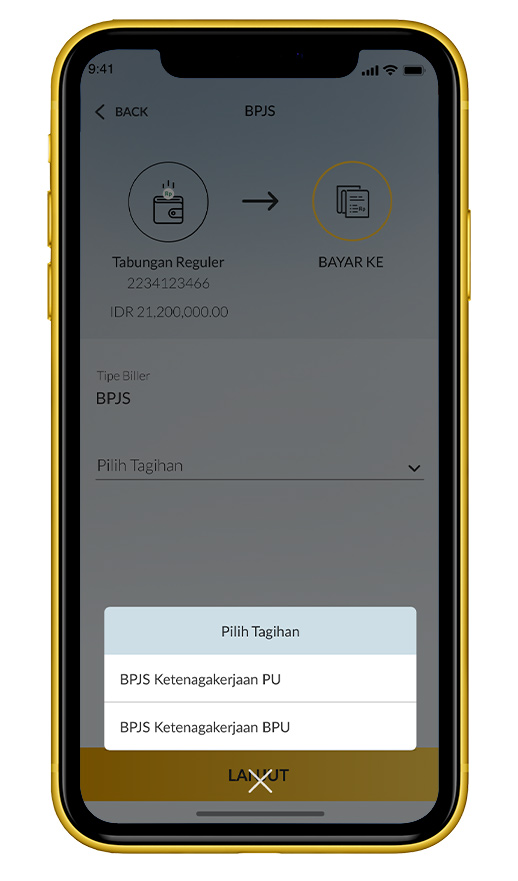
5b
|
Pilih ‘BPJS Ketenagakerjaan
BPU’
|
 |
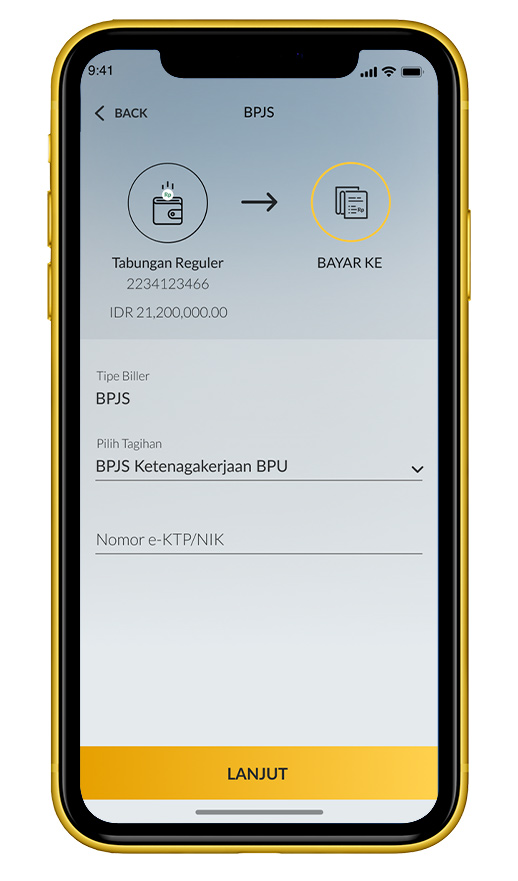
6
|
Masukkan nomor e-KTP/NIK
|
 |
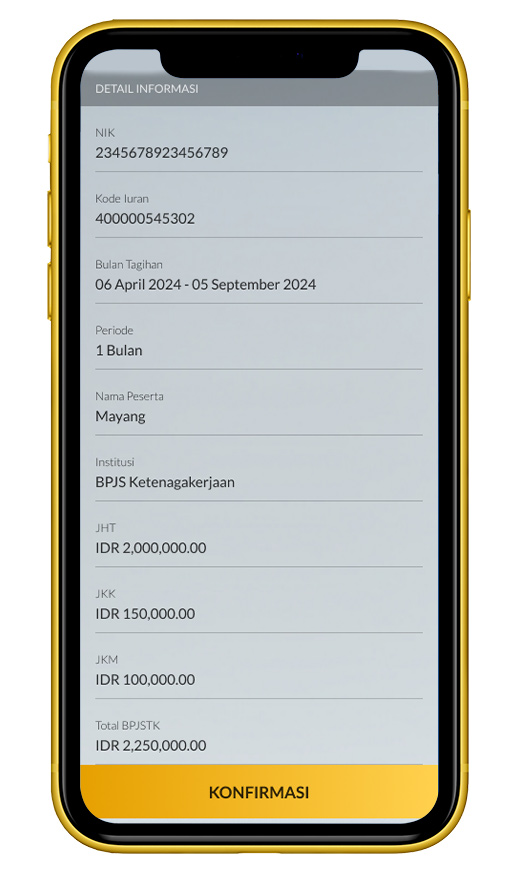
7
|
Cek detail transaksi. Jika sudah sesuai,
klik ‘Konfirmasi’
|
 |
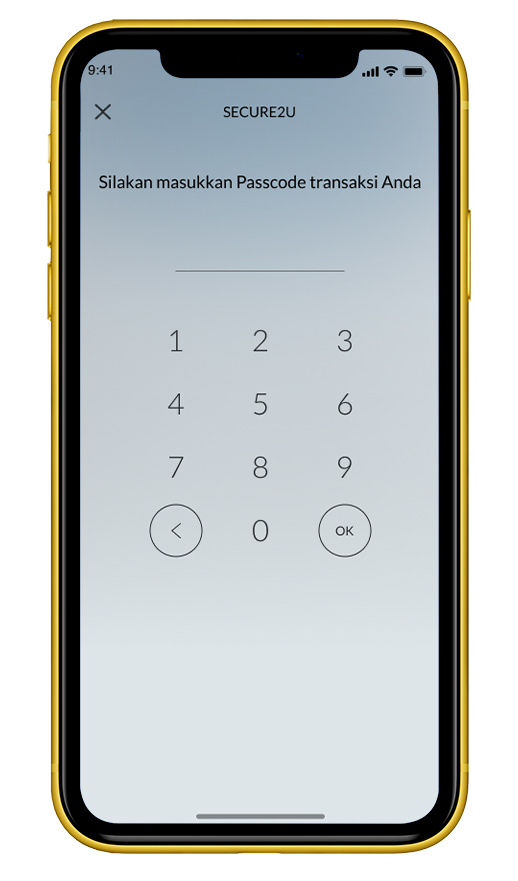
8
|
Masukkan passcode Secure2u
|
 |
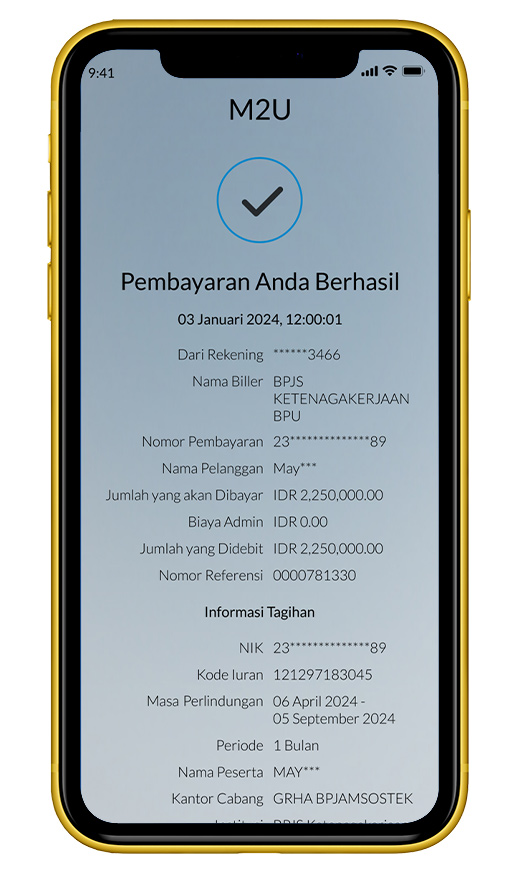
9a
|
Pembayaran berhasil
|
 |
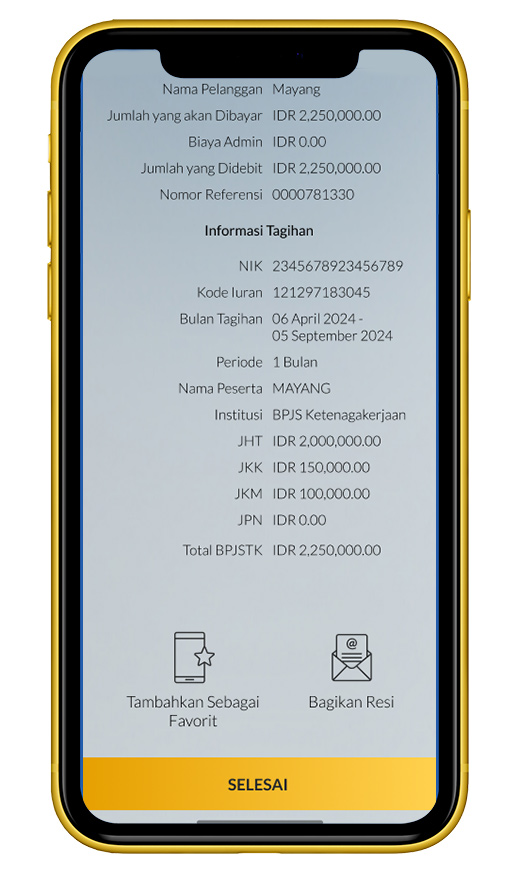
9b
|
Pilih ‘Tambahkan Sebagai
Favorit’ untuk menambahkan biller ke daftar pembayaran favorit.
|
 |
Bayar BPJS Ketenagakerjaan praktis, bisa melalui M2U ID App (mobile banking).
Kelola pembayaran iuran BPJS Ketenagakerjaan Penerima Upah (PU) untuk karyawan Anda. Fitur ini memudahkan pemberi kerja melakukan pembayaran iuran dengan mudah dan nyaman, langsung dari smartphone kapan pun di mana pun.
Ikuti panduan berikut ini:
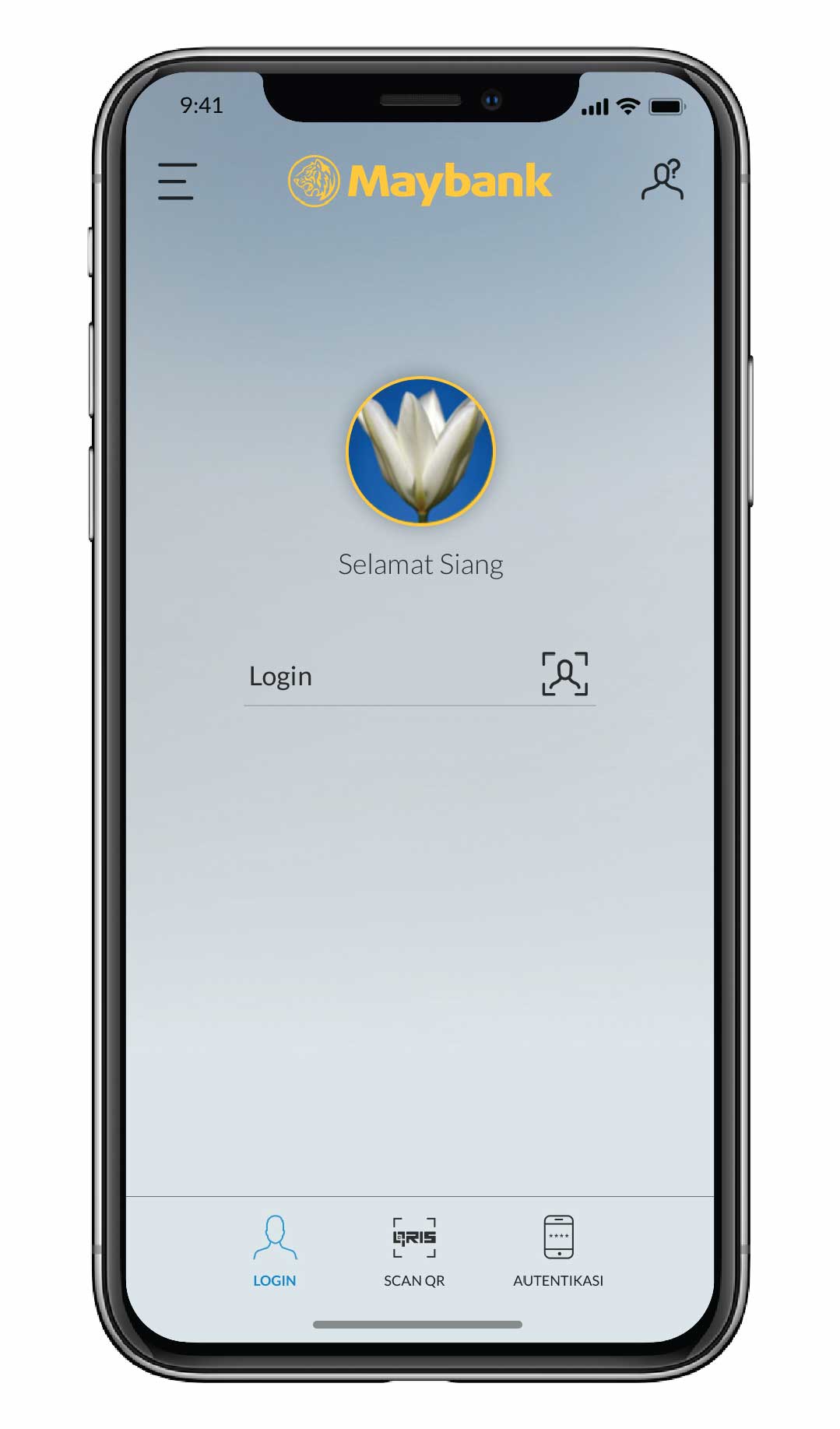
1
|
Login ke M2U ID App
|
 |
2
|
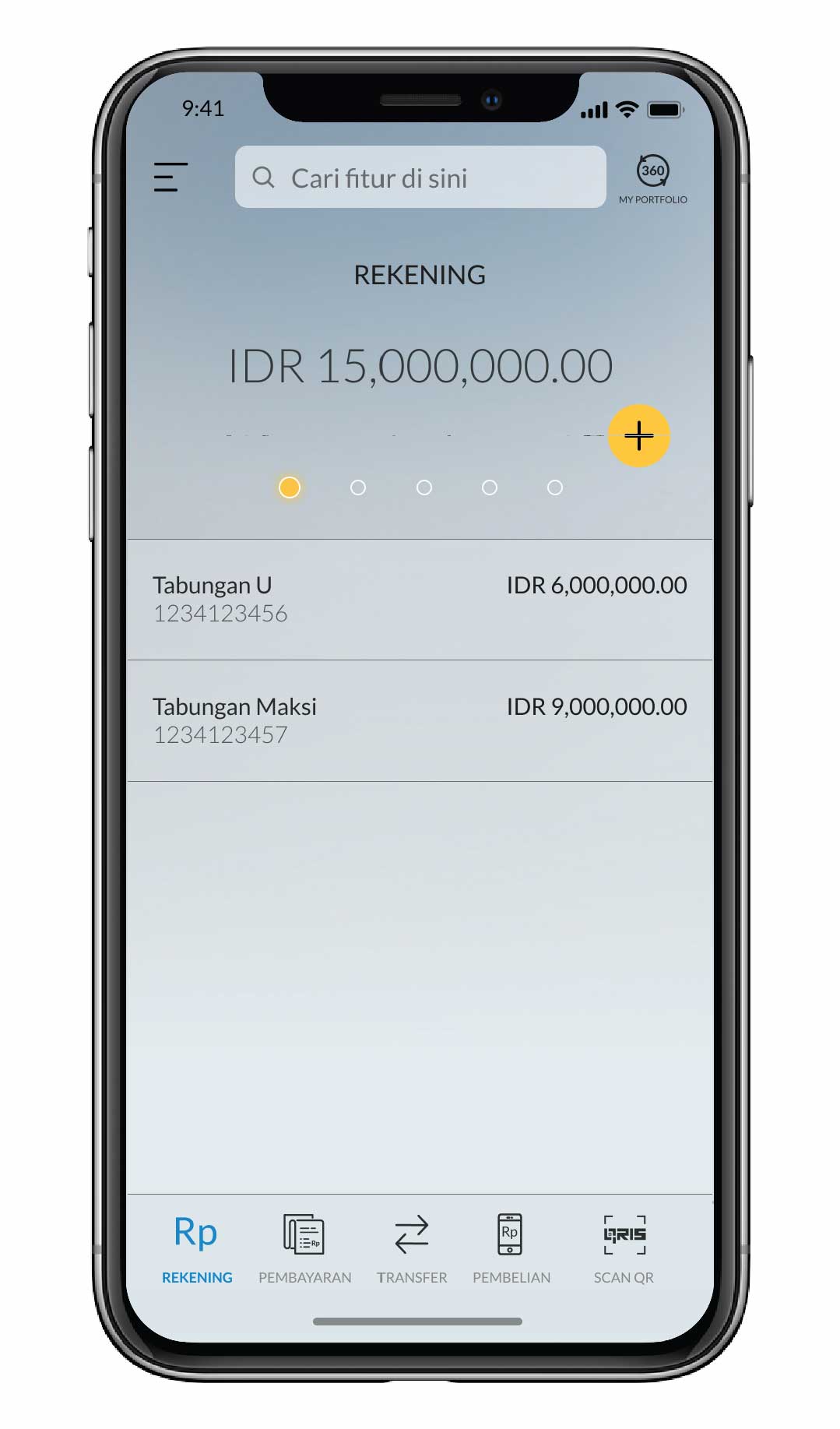
Pilih menu ‘Pembayaran’ pada
tampilan rekening
|
 |
3
|
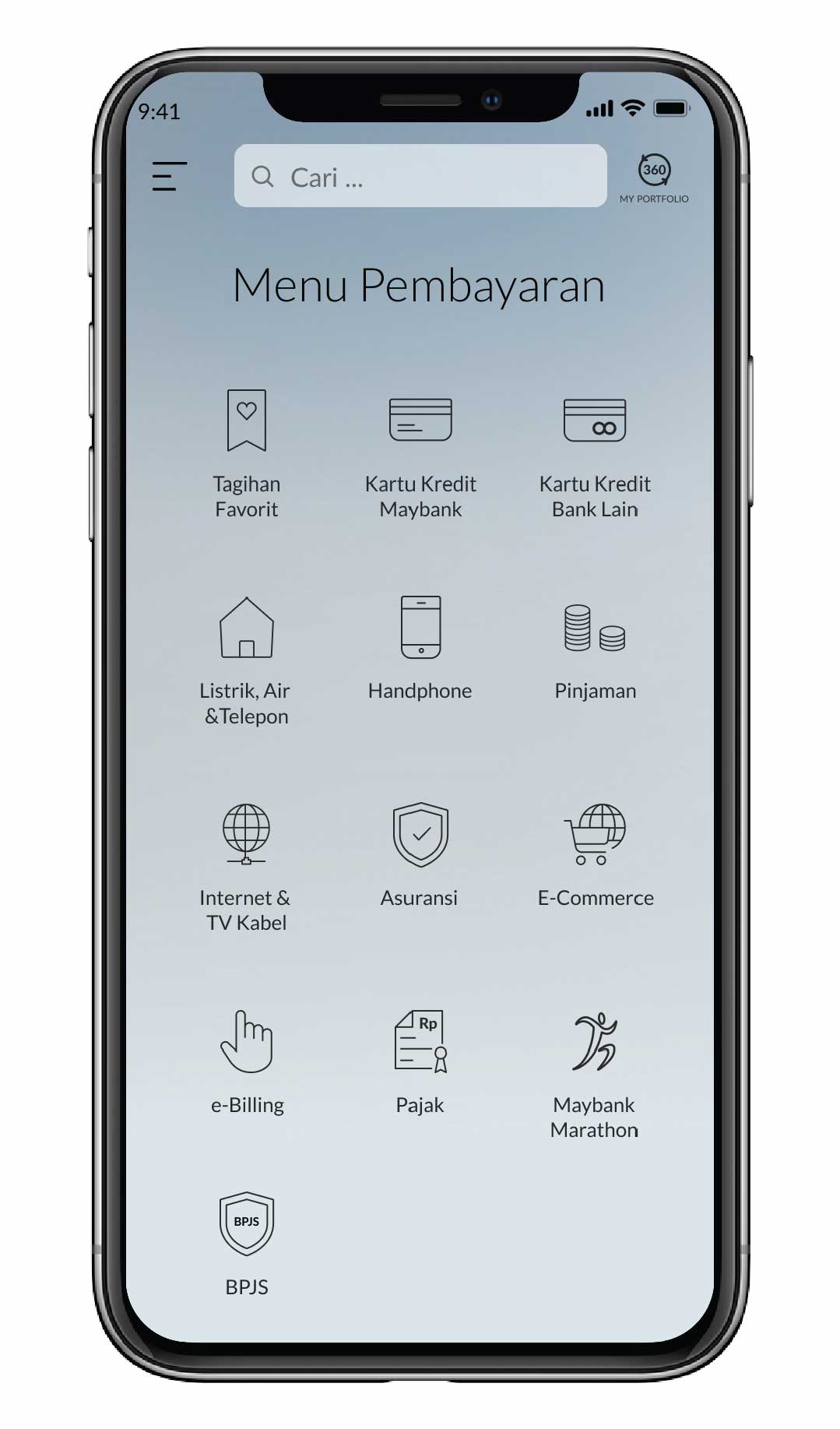
Pilih ‘BPJS’ pada menu
Pembayaran
|
 |
4
|
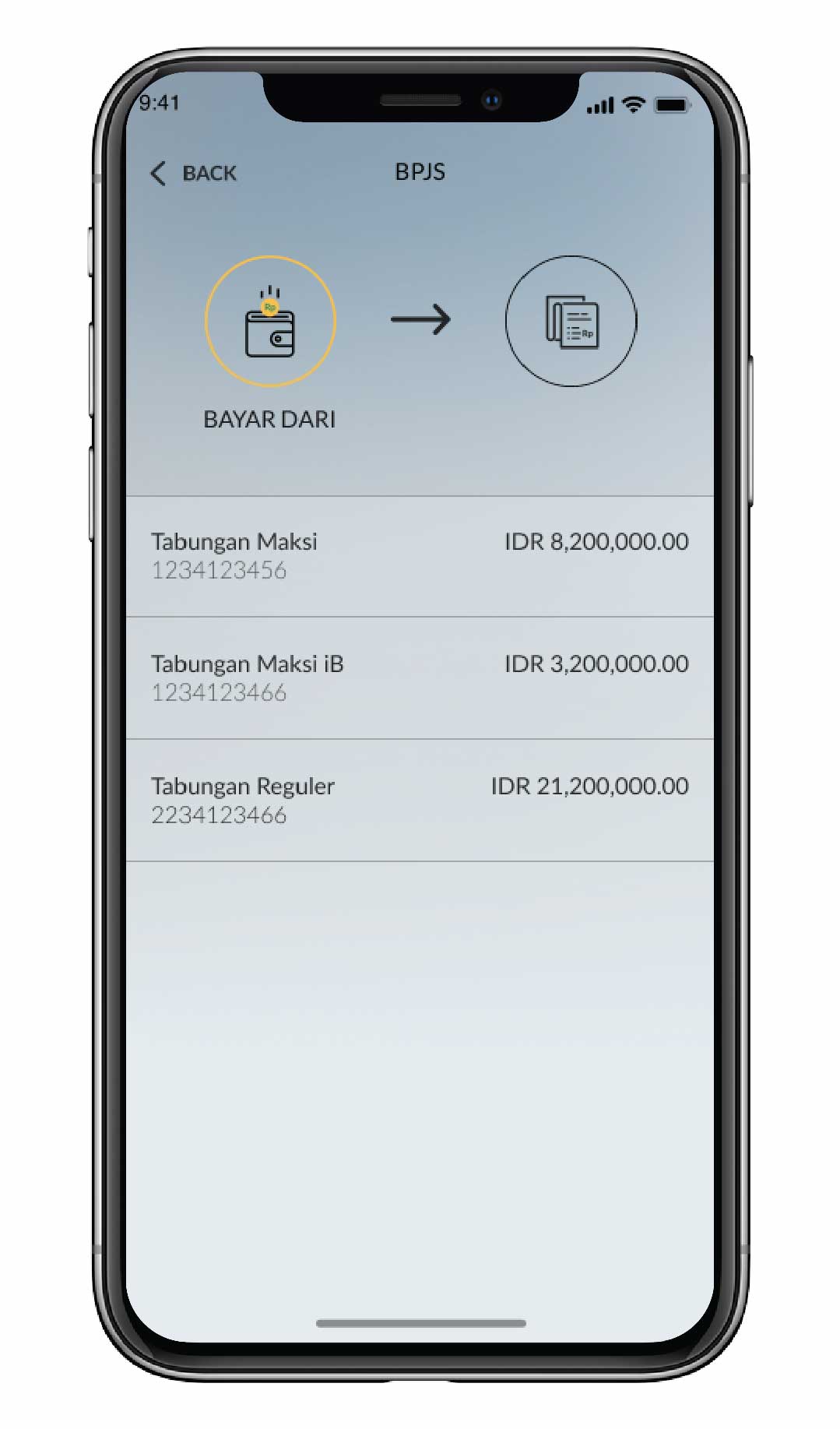
Pilih sumber rekening pembayaran
|
 |
5a
|
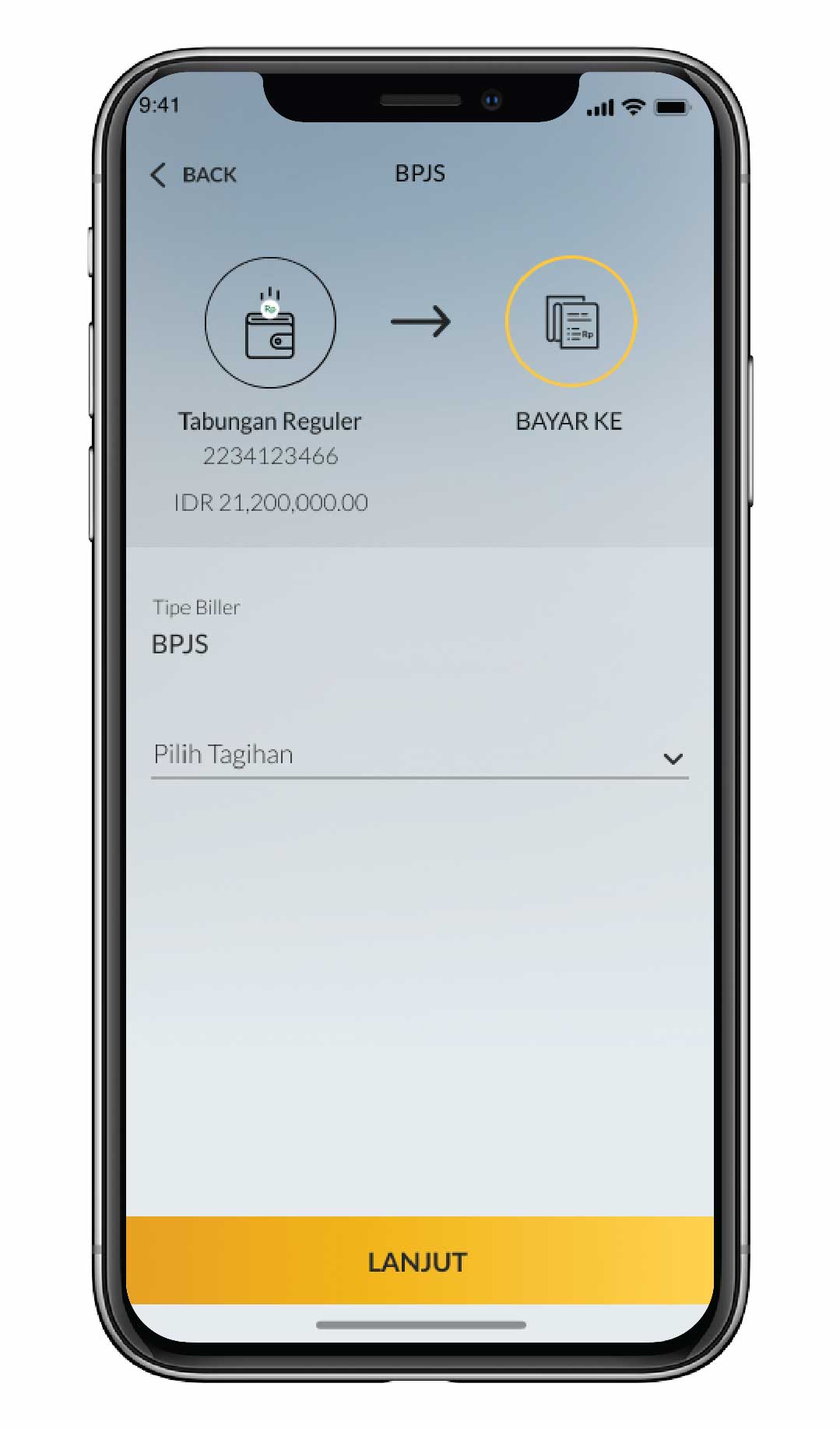
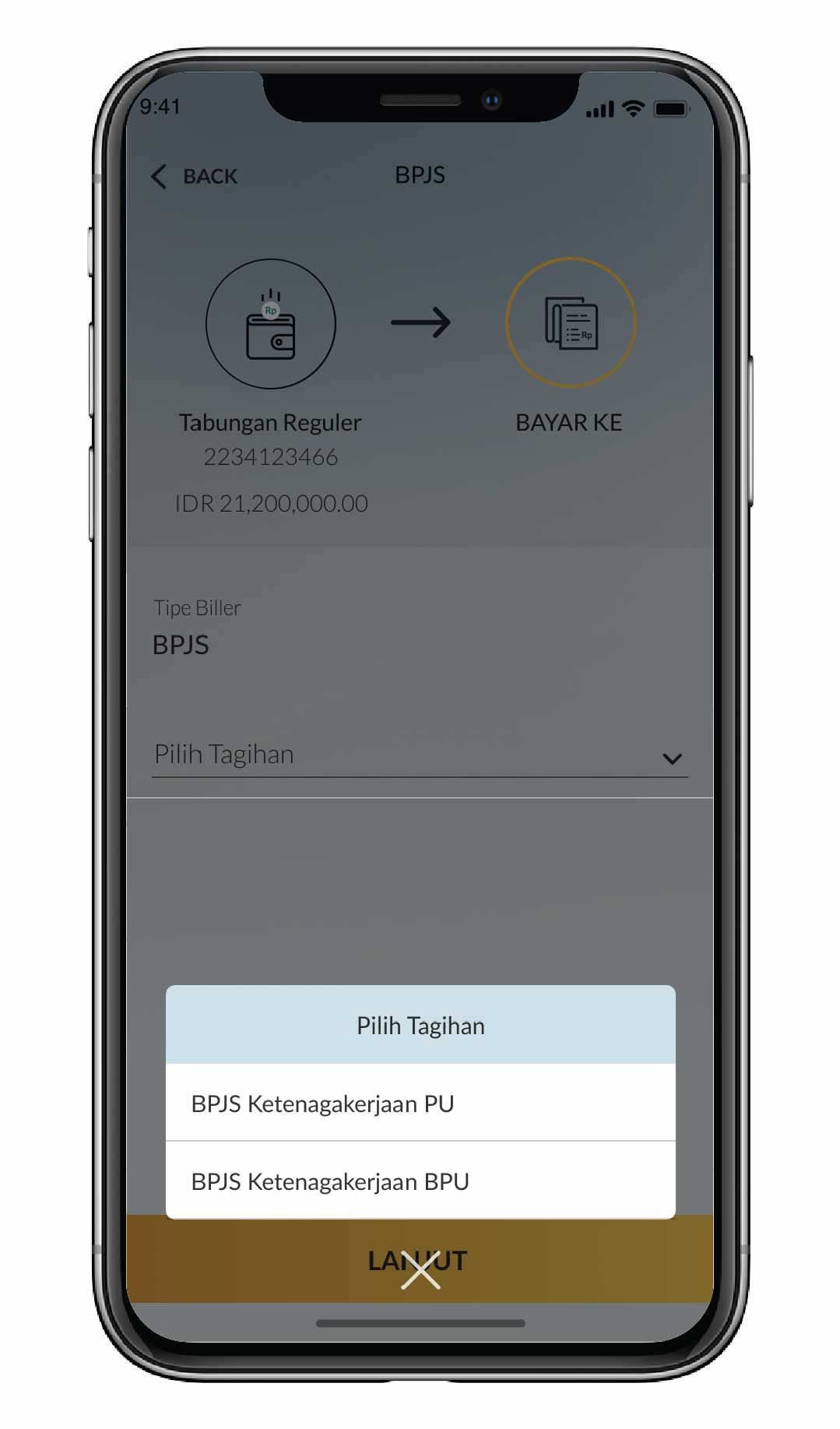
Pilih ‘Pilih Tagihan’
|
 |
5b
|
Pilih ‘BPJS Ketenagakerjaan PU’
|
 |
6a
|
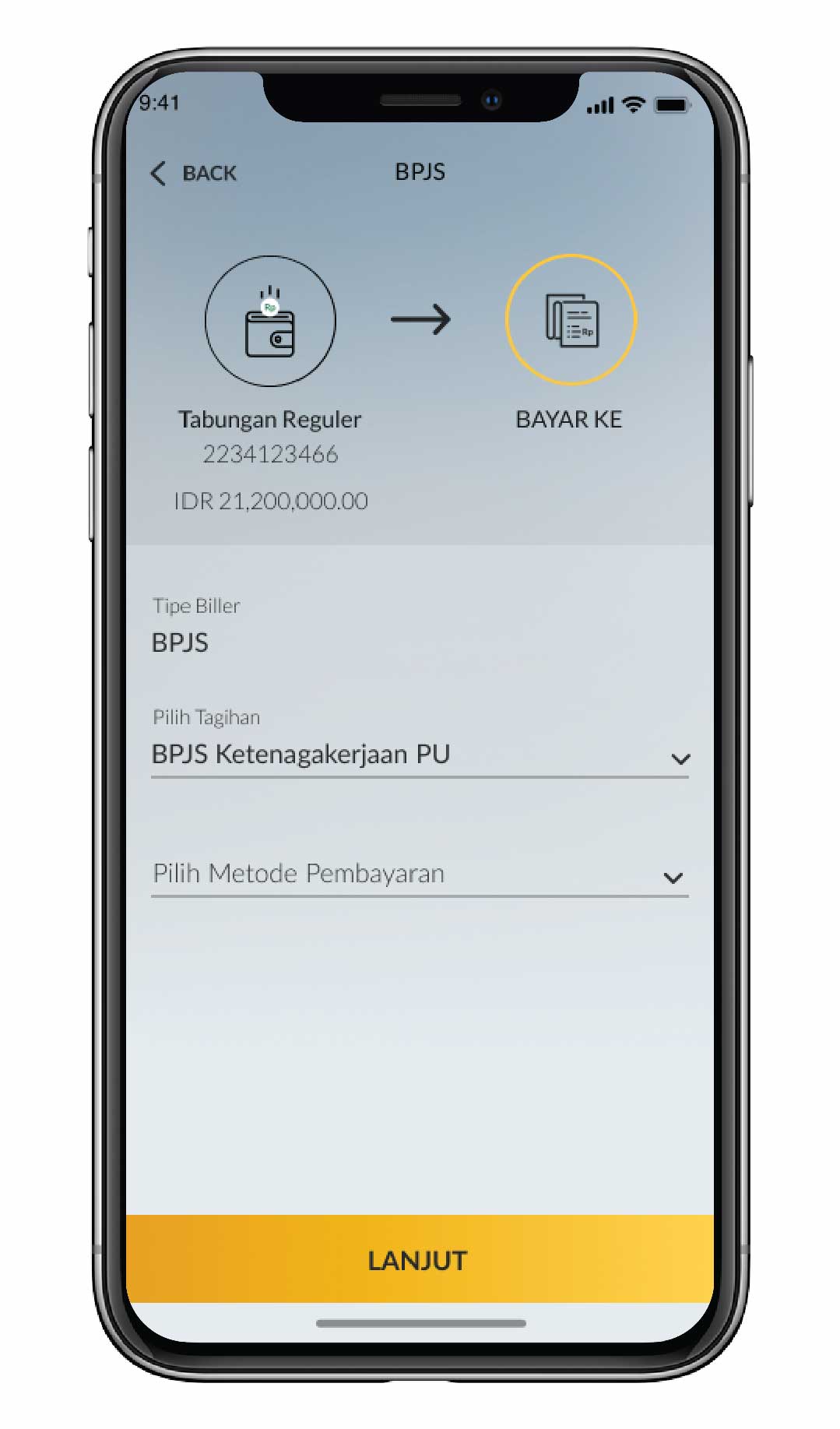
Pilih metode pembayaran
|
 |
6b
|
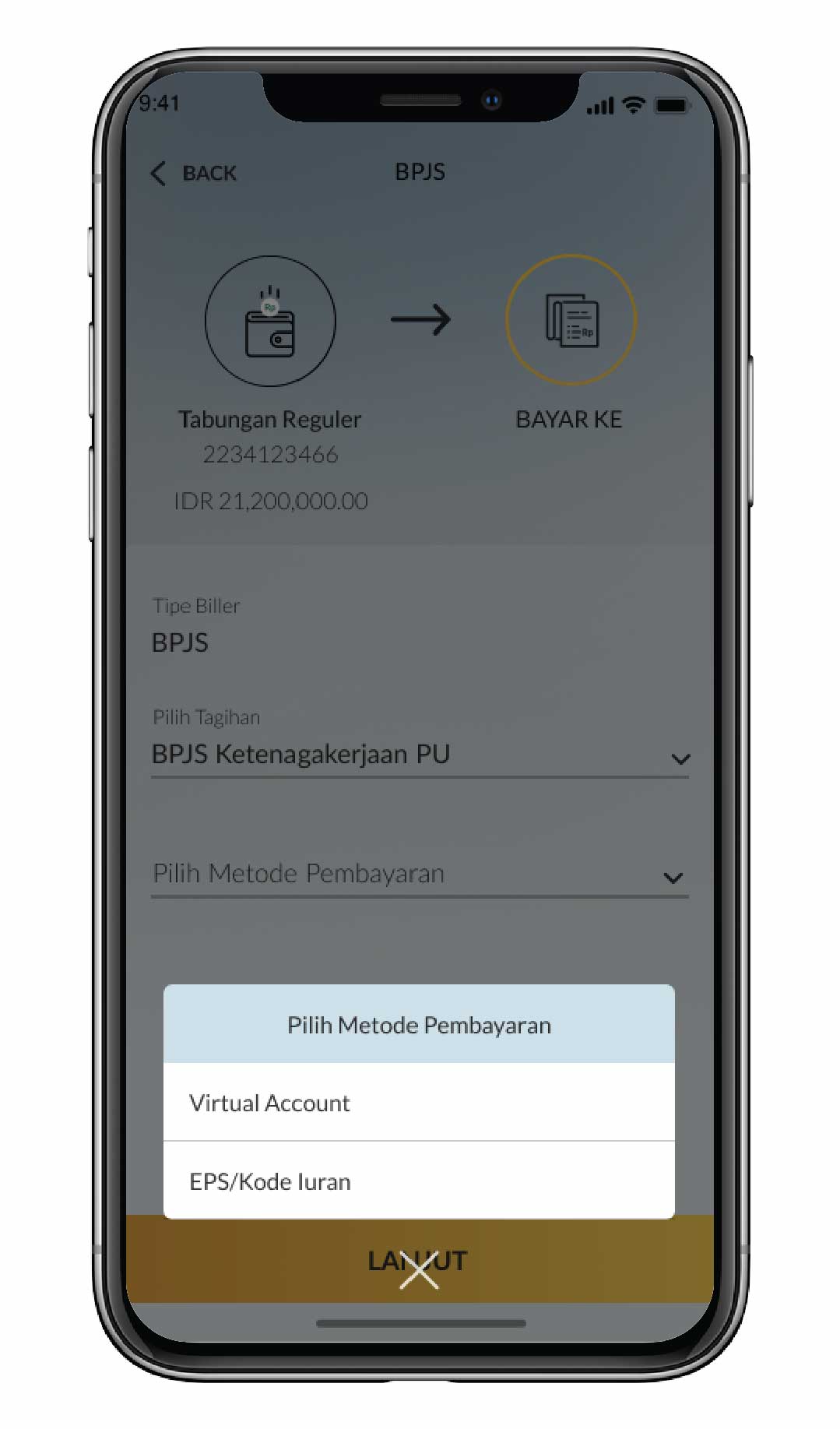
Pilih metode pembayaran Virtual Account atau EPS/Kode Iuran
|
 |
7
|
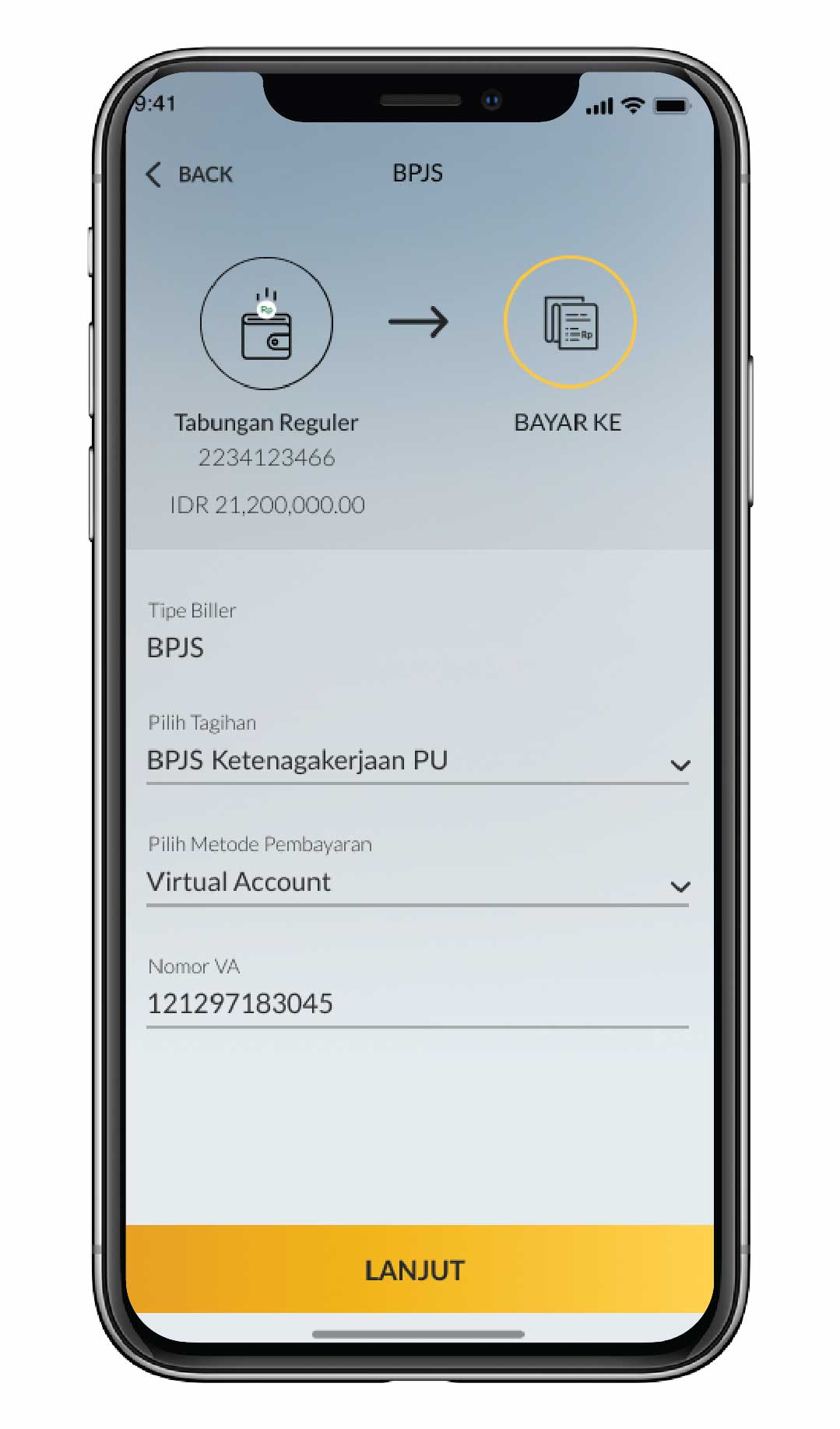
Jika memilih Virtual Account, masukkan nomor VA
|
 |
8
|
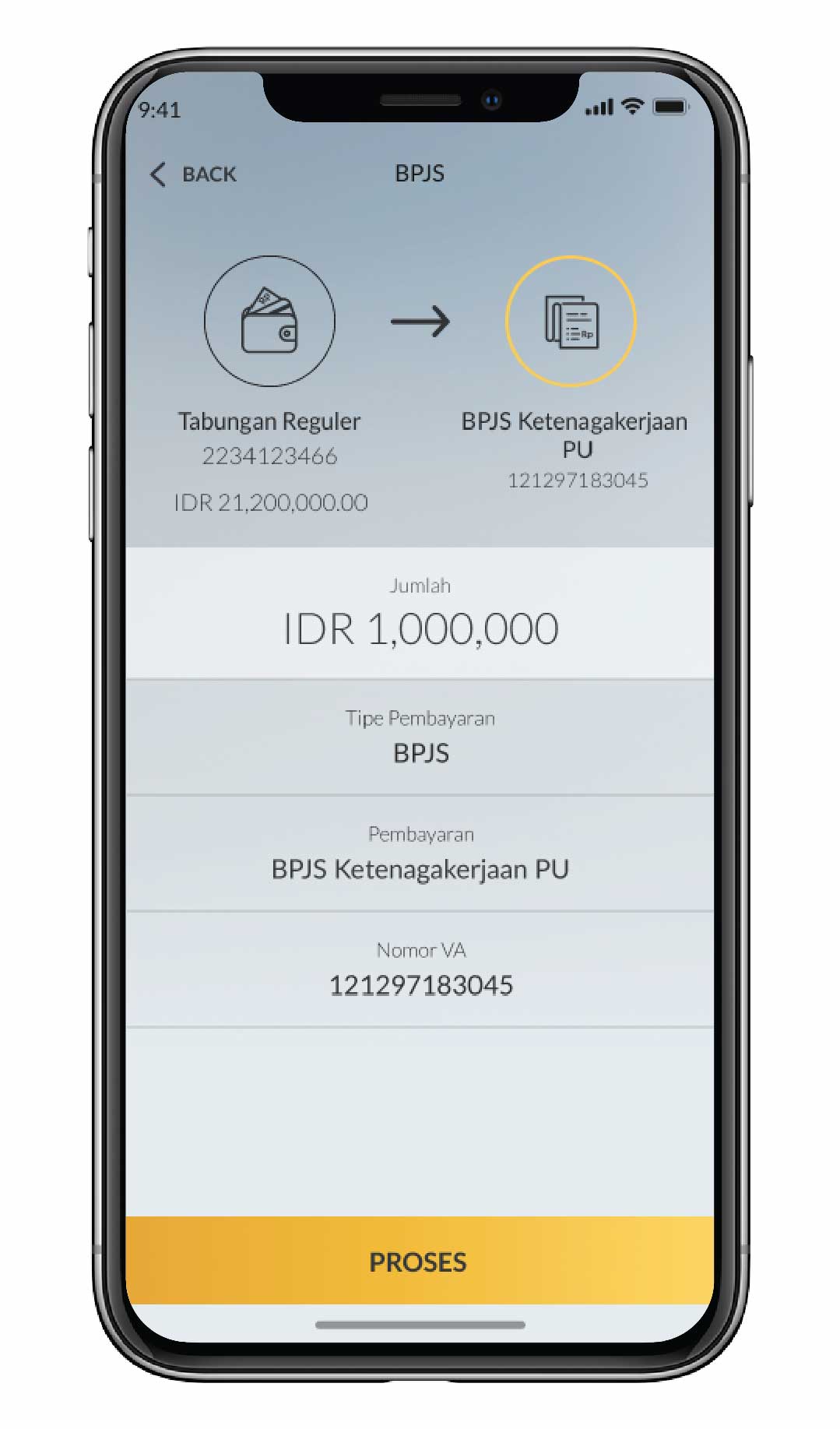
Masukkan nominal pembayaran
|
 |
9
|
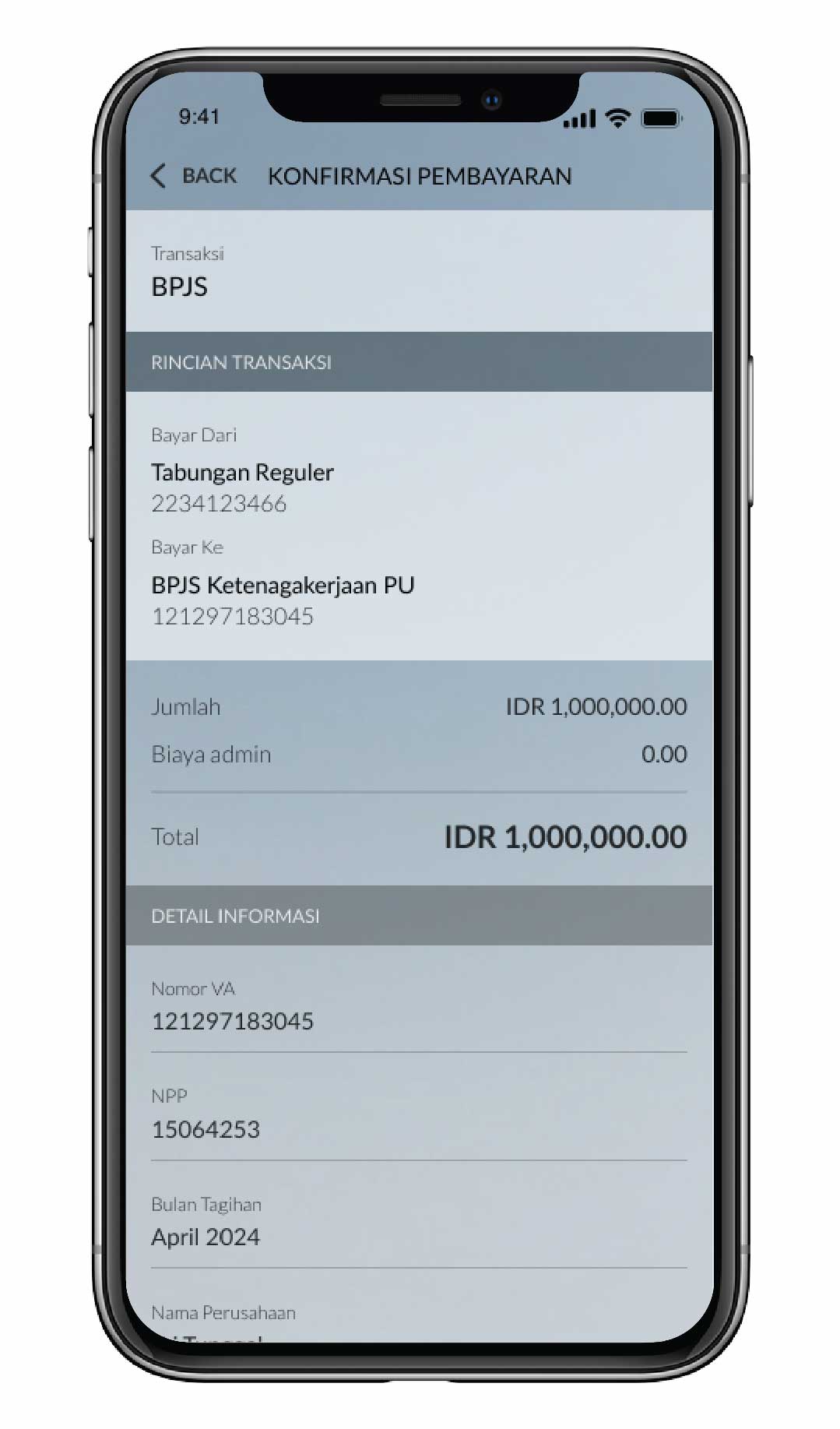
Cek detail transaksi. Jika sudah sesuai, klik ‘Konfirmasi’
|
 |
10
|
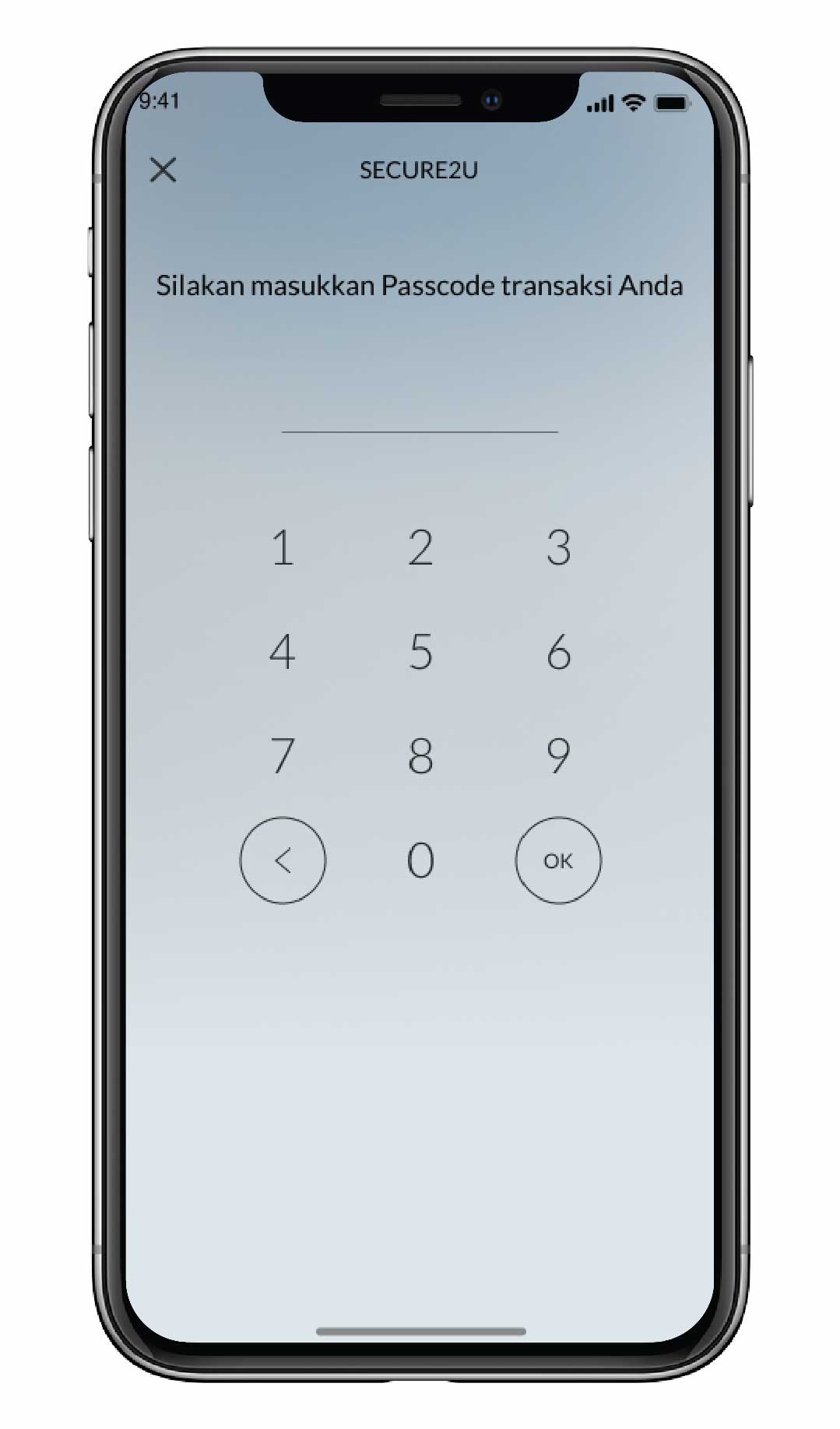
Masukkan passcode Secure2u
|
 |
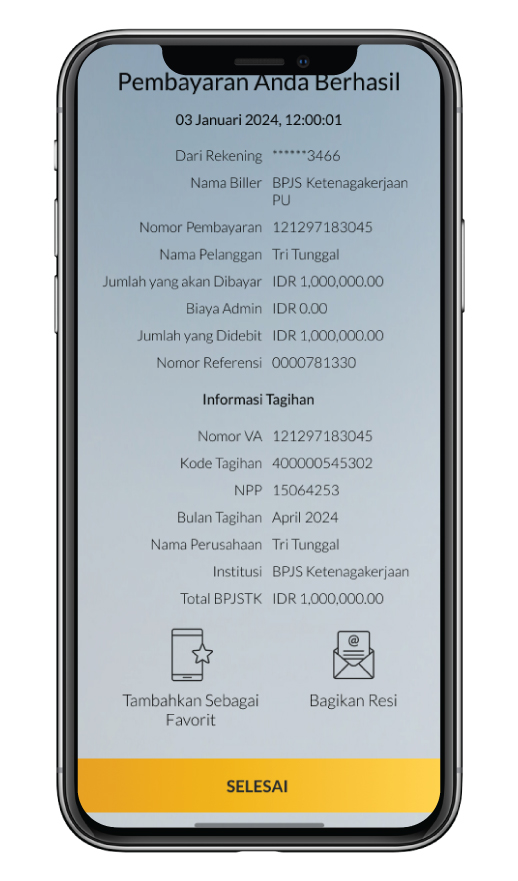
11a
|
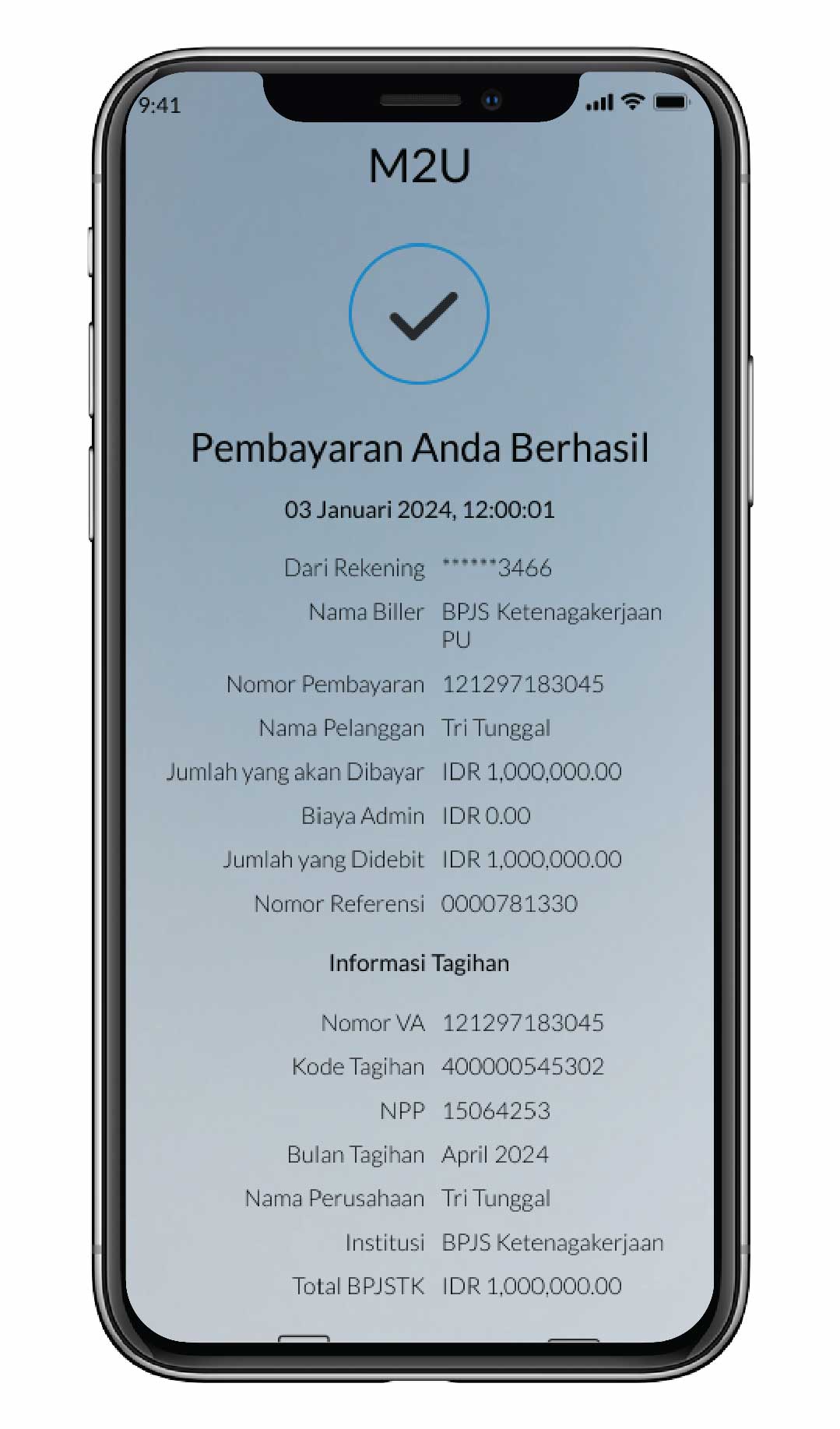
Pembayaran berhasil
|
 |
11b
|
Pilih ‘Tambahkan Sebagai Favorit’ untuk menambahkan biller ke daftar pembayaran favorit
|
 |

SYARIAH
Islamic Banking as a Service (iBaaS)
Investasi Sukuk
Reksa dana Syariah
Shariah Wealth Management
Simpanan Syariah
Promo Program Syariah
Haji dan Umroh
Layanan Zakat, Infaq, dan Sodaqoh - Maybank Indonesia
Bisnis Syariah
Pembiayaan Properti iB
Instant Financing iB
Pembiayaan Pemilikan Mobil iB
Pembiayaan Pemilikan Motor iB
Informasi Imbal Hasil
Shariah Leaders Forum
Investasi Sukuk
Reksa dana Syariah
Shariah Wealth Management
Simpanan Syariah
Promo Program Syariah
Haji dan Umroh
Layanan Zakat, Infaq, dan Sodaqoh - Maybank Indonesia
Bisnis Syariah
Pembiayaan Properti iB
Instant Financing iB
Pembiayaan Pemilikan Mobil iB
Pembiayaan Pemilikan Motor iB
Informasi Imbal Hasil
Shariah Leaders Forum
Layanan Lainnya - Maybank Indonesia
Buka Rekening Tabungan Online
Bantuan Nasabah
Japan Desk
Promosi
Contact Center
Berita & Pengumuman
KPM Privilege
Lokasi Cabang & ATM Maybank Indonesia
Refer a Friend
Informasi Tarif & Biaya Layanan
Informasi Suku Bunga Maybank Indonesia
Suku Bunga Dasar Kredit
Edukasi & Informasi untuk Nasabah
Jaringan Eksternal Maybank Indonesia
Whistleblowing
Keamanan dan Privasi
Panduan Bermedia Sosial
Bantuan Nasabah
Japan Desk
Promosi
Contact Center
Berita & Pengumuman
KPM Privilege
Lokasi Cabang & ATM Maybank Indonesia
Refer a Friend
Informasi Tarif & Biaya Layanan
Informasi Suku Bunga Maybank Indonesia
Suku Bunga Dasar Kredit
Edukasi & Informasi untuk Nasabah
Jaringan Eksternal Maybank Indonesia
Whistleblowing
Keamanan dan Privasi
Panduan Bermedia Sosial


Data Anda sedang di proses, mohon menunggu sebentar...

Corporate Online Services